How to Choose the Best LCD Monitor for Your Needs?
Choosing the right LCD monitor can be challenging. With so many options, how do you find the perfect one? It requires understanding your needs and preferences. A good LCD monitor enhances your viewing experience.
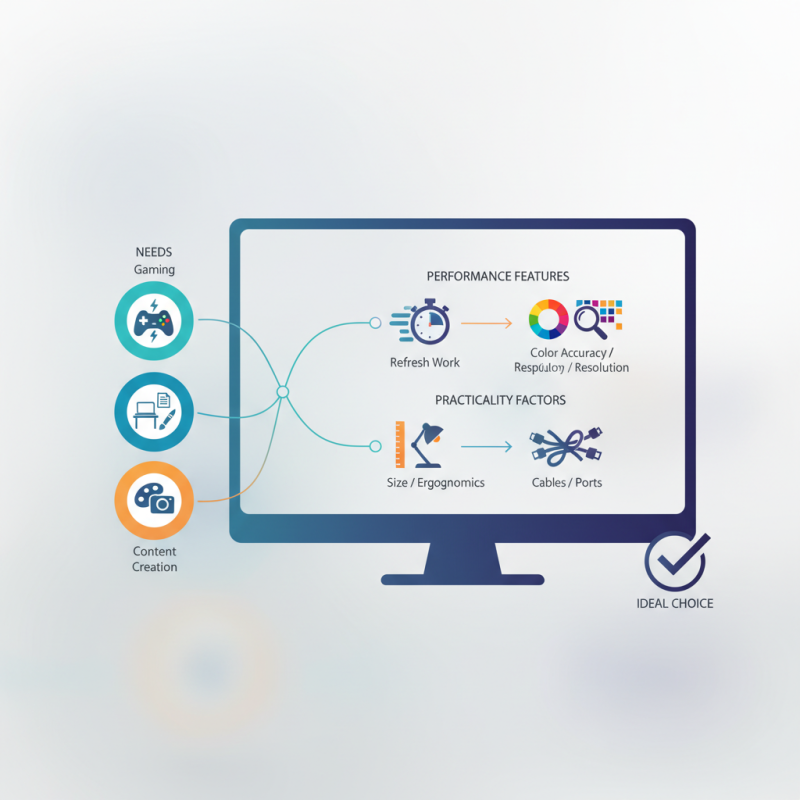
Think about what you want the monitor for. Gaming? Office work? Content creation? Each purpose needs different features. For gamers, refresh rates and response times are crucial. For designers, color accuracy and resolution matter more.
Don’t forget about size and ergonomics. A larger screen might seem appealing, but it could overwhelm your workspace. Cables and ports also affect usability. An ideal monitor balances performance and practicality. Weigh these factors carefully for the best choice. Reflect on your requirements to ensure you pick an LCD monitor that suits you well.
Understanding Your Display Needs and Usage Scenarios
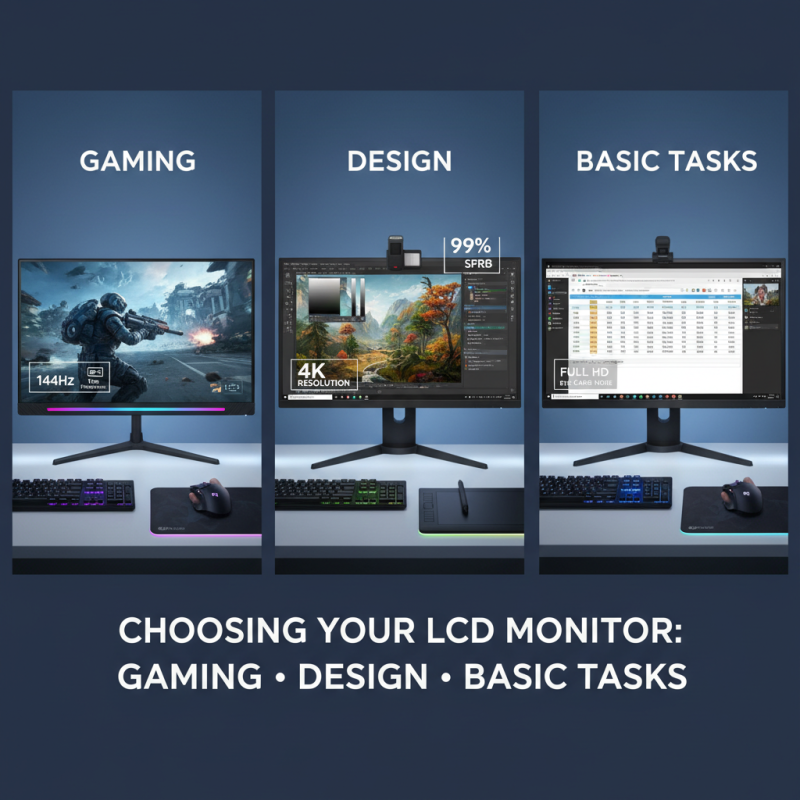
Choosing the right LCD monitor can be challenging. Understanding your display needs is crucial. Are you using it for gaming, design, or basic tasks? Each use case requires different specifications. For instance, gamers need fast response times and high refresh rates. Designers might prioritize color accuracy and resolution.
Take time to assess your workspace. Do you have enough room for a large screen? A bigger monitor provides better immersion but may take up significant space. Consider your viewing distance, too. If you sit close to the monitor, a higher resolution helps avoid pixelation.
Reflect on your color requirements. Some users might want vibrant colors while others prefer realism. It’s a personal choice. For office work, a standard color range may suffice. However, if you're editing photos, investing in a monitor with excellent color reproduction is key. Balancing all these factors can be tricky, but it ultimately leads to a satisfying purchase.
Key Specifications to Consider in LCD Monitors
When selecting the best LCD monitor, several specifications come into play. Consider resolution first. For crisp images, opt for at least 1080p. Higher resolutions like 4K provide better detail but may require more powerful hardware. The choice largely depends on your tasks—designing benefits from higher resolutions.
Next, think about refresh rates. Standard monitors usually feature 60Hz, adequate for general use. However, gamers often need 120Hz or higher for smoother visuals. A report from the International Data Corporation shows that monitors with higher refresh rates enhance user experience, especially in fast-paced scenarios.
Color accuracy is another vital aspect. Look for monitors that cover at least 99% of the sRGB color space. This is crucial for photographers and graphic designers. Aim for displays with good factory calibration, as this saves time and effort in adjustments.
Tips:
- Always test a monitor before purchasing.
- Pay attention to panel types; IPS offers better color but may be more expensive.
- Avoid choosing based solely on price; longevity is key.
Choosing wisely can prevent dissatisfaction later. However, many buyers overlook these details and regret their decisions. Picking the right LCD monitor involves careful consideration and research to ensure it truly fits your needs.
Evaluating Screen Size and Resolution Options
When selecting an LCD monitor, screen size and resolution are critical. A report from the International Display Research estimates that 27-inch monitors are gaining popularity, as many users enjoy the immersive experience they provide. The common choice for resolution is 1080p, or Full HD. However, it's important to consider the balance between size and pixel density.
For instance, a larger screen with a lower resolution can produce visible pixelation. Many users don’t realize that a 24-inch monitor with 1440p resolution offers a sharper image than a 32-inch monitor with the same resolution. According to DisplayMate, screen size should be dictated by viewing distance. Sitting too close to a large monitor can cause strain.
Additionally, evaluating your workspace is essential. A 34-inch ultrawide model can enhance productivity, but it requires ample desk space. Poor desk layout can lead to discomfort and inefficient use. Users often overlook ergonomic factors, yet position and adjustability are vital for long hours of usage. Reflecting on these factors can improve both comfort and satisfaction with a chosen monitor.
Assessing Display Quality: Brightness, Contrast, and Color Accuracy
Assessing display quality is crucial when choosing an LCD monitor. Brightness plays a significant role. Monitors typically range from 200 to 400 nits. For general use, 250 nits may suffice. However, for bright environments, aim for at least 300 nits. A study by DisplayMate found that displays over 400 nits can enhance visibility significantly.
Contrast ratio is another critical factor. A higher contrast ratio means deeper blacks and vibrant colors. Most standard monitors offer contrast ratios between 1000:1 and 3000:1. This range can be limiting for graphic design or photo editing needs. Some professional monitors achieve ratios as high as 5000:1. This stark difference can change your visual experience significantly.
Color accuracy is paramount for professionals. Look for monitors that support at least 99% of the sRGB color gamut. For design work, Adobe RGB compatibility is ideal, with coverage nearing 100%. A report by the Color Association states that inaccurate colors can lead to poor decisions and wasted resources. Monitors can come tuned right out of the box, but calibration is often necessary. Uncalibrated monitors can mislead you, affecting your projects' outcomes. Consider whether you need that level of precision before your purchase.
Assessing Display Quality: Brightness, Contrast, and Color Accuracy
Exploring Additional Features and Connectivity Options
When selecting an LCD monitor, exploring additional features is vital.
Consider the screen resolution. Most monitors offer full HD, but higher resolutions like
4K can enhance clarity. A higher pixel count makes images sharper and better
for design tasks. Brightness is another factor.
Monitors with higher brightness levels are easier to view in bright rooms.
Connectivity options matter too. Look for various ports like HDMI, DisplayPort, and
USB-C. Multiple ports allow for easy connection to different devices. An audio output can be useful for
external speakers. Some monitors even have built-in speakers, which may suffice for casual use.
Furthermore, consider ergonomic features. Monitors with height adjustment can
improve comfort during long usage. Adjustable stands help prevent strain. Check the refresh rate as well.
A higher refresh rate can make video playback smoother. However, not all users need this feature, especially for basic
tasks. Ensuring you choose the right balance of features can be challenging, but it is worth the effort.




















 Screen Size Calculator