10 Best Touch Screen Displays for Enhanced User Experience?
The rise of touch screen displays has transformed user interaction across various sectors. According to recent industry reports, touch screen displays are projected to grow at a CAGR of 10.4% from 2022 to 2030. This growth indicates a significant shift towards more intuitive user interfaces in both consumer and commercial applications.
These displays enhance user experience by providing easy navigation and immediate feedback. Features like multi-touch capability and high-resolution screens make them a preferred choice. However, not all touch screen displays are created equal. Factors such as responsiveness, durability, and glare resistance vary widely across products. Users may experience frustrations with cheaper models that fail under heavy usage.
Selecting the right touch screen display can be challenging. Each application, whether retail, education, or healthcare, has unique requirements. Finding a balance between cost and performance requires careful consideration, especially as technology continues to evolve. The right choice can significantly improve user engagement and satisfaction.

Factors to Consider When Choosing a Touch Screen Display
When selecting a touch screen display, several factors must be carefully considered. The screen size matters significantly. Larger screens can enhance user interaction, especially in collaborative environments. A 2022 report highlighted that 70% of users preferred screens above 15 inches for group activities. However, larger displays can be more challenging to integrate into smaller spaces. So, it's essential to balance size and available area.
Touch technology also varies. Capacitive screens are more responsive and support multitouch features, providing a smoother user experience. Think about the intended use. For instance, a busy retail environment may require durable screens that withstand heavy usage. Research indicates that 65%% of users express frustration with unresponsive touch interfaces. Additionally, consider the resolution and brightness. A display with 1080p resolution enhances image clarity, appealing to users who prioritize visual content. But, too much brightness can cause glare, negatively impacting usability.
Lastly, assess the connectivity options. Some models support multiple interfaces, such as HDMI and USB-C. A versatile touch screen can simplify integration with various devices. However, this versatility often comes with a higher price tag. Always weigh the benefits against budgets, as choosing the right touch screen can affect long-term satisfaction.
Top Features Enhancing User Experience in Touch Screen Displays
Touch screen displays have transformed how users interact with technology. These devices now feature multi-touch capabilities, allowing for gestures like pinch-to-zoom. Users can manipulate content intuitively, making tasks simpler and more efficient. The tactile feedback of modern displays enhances engagement, providing a satisfying sensation with each touch. However, not all touch screens deliver consistent sensitivity. Variations in responsiveness can lead to frustration during critical tasks.
Another key feature is the clarity and brightness of screens. High-resolution displays improve visibility in different environments. Users working outdoors often struggle with glare. Anti-reflective coatings can help, but they are not flawless. Sometimes, colors may appear washed out under bright light, which can impact overall usability. The best touch screens also offer durability. Scratch-resistant surfaces are essential for longevity. Despite this, accidents do happen, and even the sturdiest displays may need protection.
Incorporating accessibility features is crucial for user experience. Screen readers and customizable text sizes accommodate different user needs. Gesture shortcuts aid those with mobility challenges. Yet, these features are not always easy to navigate. Some users may feel overwhelmed, needing more training to use advanced options effectively. Balancing innovation with usability remains a challenge for designers. Crafting touch screens that enhance user experience while also catering to diverse needs is a continuous journey.
Comparison of Different Touch Screen Technologies
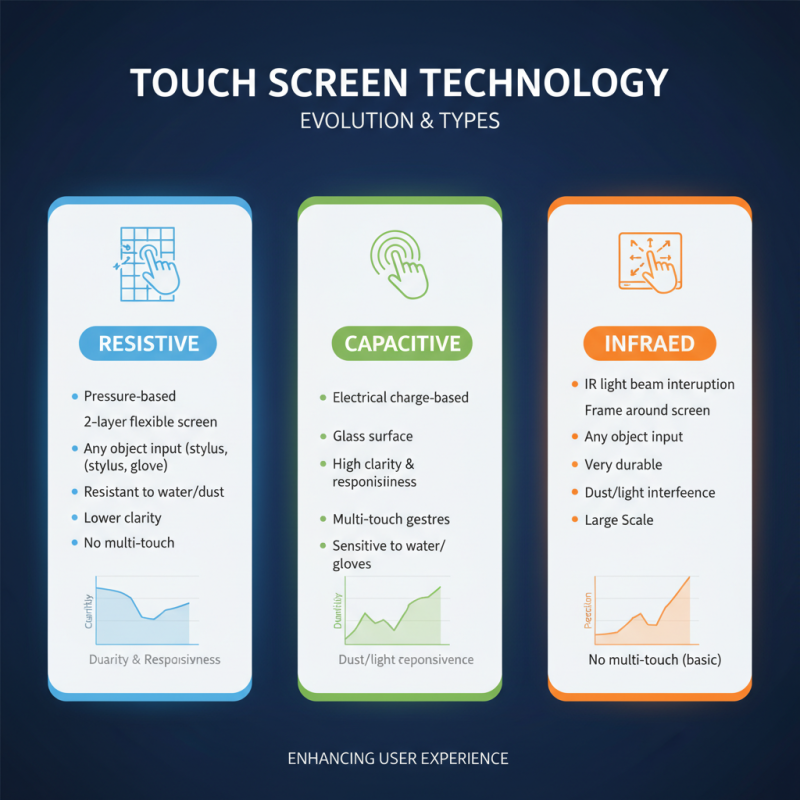
Touch screen technology has evolved significantly, enhancing the user experience across various applications. The most common types include resistive, capacitive, and infrared displays. Each technology has distinct advantages and disadvantages, which can impact their overall performance.
Resistive touch screens are known for their affordability. They rely on pressure to register input. According to industry data, these displays can be less responsive compared to capacitive systems. Their sensitivity to environmental factors, like humidity and temperature, can pose challenges in certain settings. However, they are effective for low-cost devices and situations requiring durability.
Capacitive touch screens dominate the market due to their superior responsiveness. They work by detecting changes in electrical fields. Reports indicate that capacitive screens account for over 70% of the global touch screen market. Yet, they struggle with input from gloved hands or styluses. Infrared technology, while less common, offers scalability and versatility, particularly for large installations. However, costs can be a barrier for many applications. Each technology's unique characteristics must be considered to meet specific user needs effectively.
Review of the 10 Best Touch Screen Displays Available in 2023
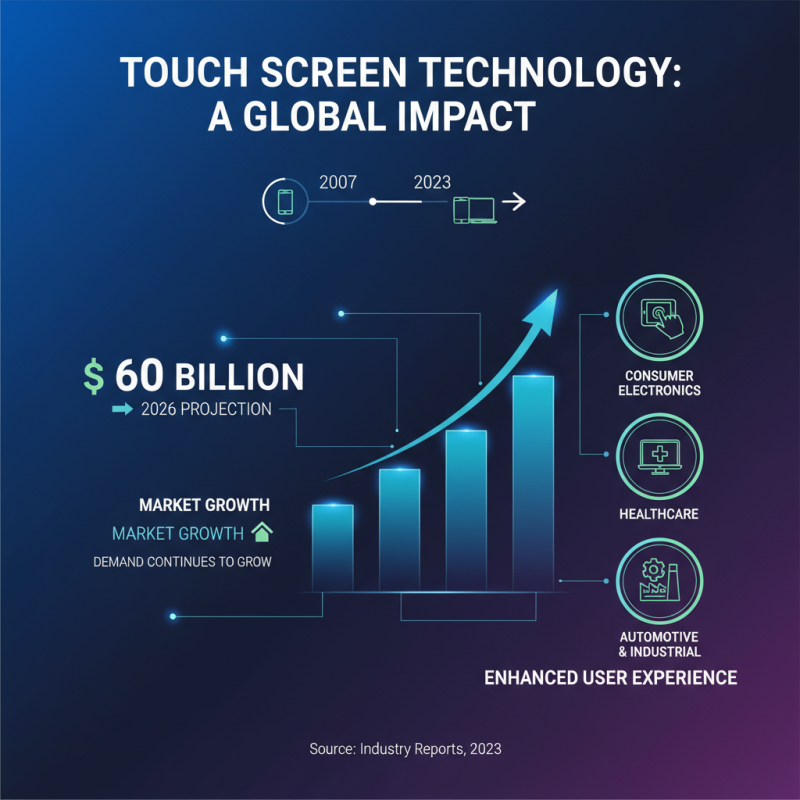
Touch screen displays have transformed the way we interact with technology. In 2023, the demand for these displays continues to grow. Recent industry reports highlight that the global touch screen market is projected to reach $60 billion by 2026. This surge reflects the increasing importance of user experience across various sectors.
Many consumers seek displays that offer high responsiveness and clarity. However, not all models deliver as promised. Some screens struggle with glare or require excessive force to register touch. Users should look for units with a high sensitivity rating, which is often measured in milliseconds. Touch latency can significantly affect usability, especially in fast-paced environments.
**Tips:** When shopping, consider testing the display yourself. Not every touch screen feels the same. Pay attention to how it responds to different gestures—pinches, taps, and swipes.
Screen durability is another critical factor. Users may overlook how easily a display can scratch or smudge. Research shows that approximately 45% of consumers have reported issues with display durability. A protective layer can help but doesn’t always guarantee a better experience.
**Tips:** Regularly clean your screen with appropriate solutions. This simple step can enhance longevity and clarity, making a big difference in everyday use.
Applications and Use Cases for Touch Screen Displays in Various Industries
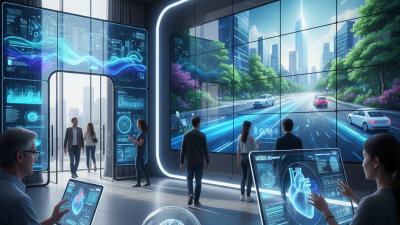
Touch screen displays are transforming industries. In retail, they serve as interactive kiosks. Customers can browse products easily. This engagement can increase sales. However, touch screens can confuse some users. Not everyone is tech-savvy, leading to frustration.
In healthcare, touch screens enhance patient care. Doctors can quickly access patient records. Touch screens simplify data entry. Yet, there's a risk of over-reliance on technology. Human interaction remains crucial for effective communication. In education, they enable interactive learning experiences. Students can participate actively in lessons. Still, distractions from games and social media can detract from learning.
Manufacturing benefits, too. Touch screens streamline operations on the factory floor. Workers can monitor machinery status efficiently. Yet, training is essential to ensure proper use. Without proper guidance, errors may occur. Touch screens present a blend of innovation and challenge across various industries.
10 Best Touch Screen Displays for Enhanced User Experience


















 Screen Size Calculator