What is an LCD Monitor and How Does It Work?
In today’s digital age, understanding the LCD monitor's role is essential. Dr. Emily Chen, a leading expert in display technology, once stated, “LCD monitors have transformed how we interact with digital content.” This statement underscores the importance of these devices in our everyday lives.
LCD monitors use liquid crystal display technology. This technology relies on liquid crystals that respond to electric currents, allowing for vibrant colors and sharp images. Many people, however, might not fully understand how it all works. This complexity invites curiosity and sometimes confusion. The innovation behind LCD monitors continues to evolve, leading to new challenges as well.
Despite their advantages, issues such as viewing angles and color accuracy can arise. These challenges reflect the ongoing need for improvement in the industry. As the demand for higher quality displays grows, manufacturers face pressure to enhance their products continuously. Understanding the intricacies of LCD monitors helps users appreciate their advantages while recognizing potential shortcomings.

What is an LCD Monitor?
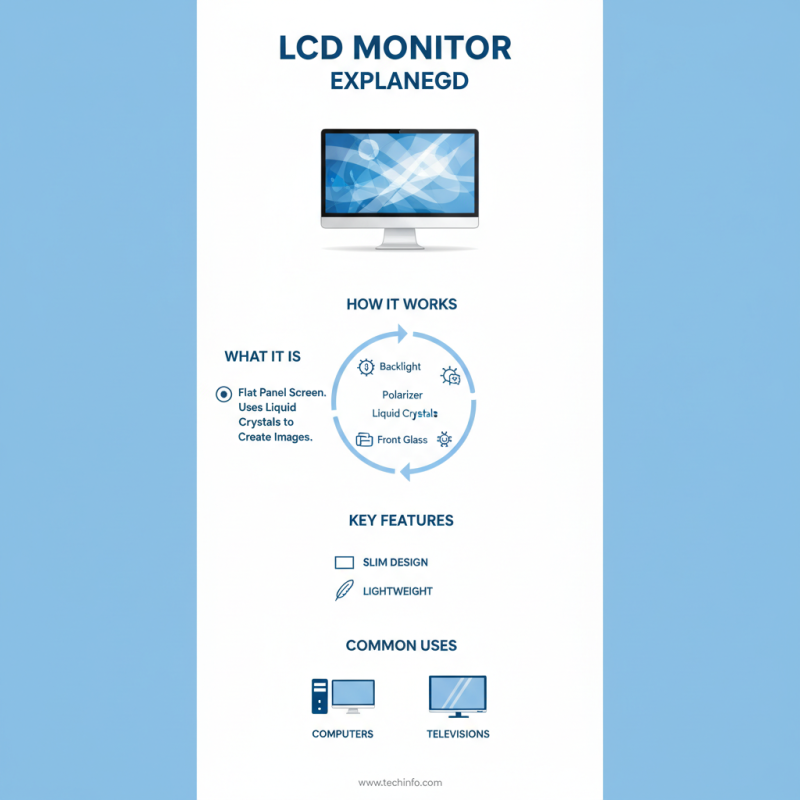
An LCD monitor, or liquid crystal display monitor, is a type of flat panel screen. It utilizes liquid crystals to produce images. The technology is prevalent in computers and televisions due to its slim design and lightweight nature.
LCD monitors create images by blocking or allowing light to pass through liquid crystals. These crystals are sandwiched between two layers of glass or plastic. When an electric current is applied, the arrangement of the crystals changes. This process controls the amount of light that can pass through, forming visible images. The colors you see come from a combination of red, green, and blue pixels working together.
While LCD monitors are efficient, they are not perfect. Viewing angles can be limited, leading to color distortion. Brightness may also decrease over time, affecting image quality. Additionally, some users may find motion blur during fast-action scenes. These imperfections remind us that technology continuously evolves, seeking to improve our viewing experiences.
Basic Components of an LCD Monitor
An LCD monitor comprises several essential components that work in tandem to produce images. The core element is the liquid crystal display panel. This panel contains liquid crystals sandwiched between two layers of glass. When an electric current passes through, the crystals align to control light, generating various colors. This technology is pivotal in modern digital displays. According to a report by the Display Industry Association, LCD monitors have captured nearly 50% of the global display market.
Backlighting is another critical feature. Typically, LED lights illuminate the display from behind, providing brightness. This ensures vibrant colors and sharp images. However, backlighting efficiency can vary, affecting display quality. Some users notice color inconsistency in cheaper models, leading to dissatisfaction. Furthermore, the color accuracy of LCD monitors can decline over time, necessitating frequent calibration for professional use.
The polarizer layers are often overlooked but are vital for clarity. These layers filter light waves, enhancing contrast and visibility. Without them, images would appear washed out. Interestingly, the manufacturing process adds to the complexity. Imperfections can occur, which might not be apparent initially. Yet, they can impact a monitor's longevity and performance, urging consumers to choose wisely.
How LCD Technology Works: A Step-by-Step Explanation
LCD monitors use liquid crystal display technology. They create images by manipulating light. This involves several layers that work together. The structure includes a backlight, liquid crystals, and polarizers.
Light from the backlight shines through the layers. The liquid crystals align when an electric current passes through them. This alignment alters the light’s intensity and color. Each pixel controls the amount of light that passes, creating different colors. This results in a vivid image on the screen.
Tip: To enhance your viewing experience, adjust the monitor's brightness and contrast settings. A well-calibrated display can significantly improve image quality. Remember to clean your screen regularly. Dust and fingerprints can obscure clarity.
LCD technology is efficient but not perfect. Sometimes, the colors can appear washed out from certain angles. Viewing from the side may distort colors. It’s essential to find the right position for optimal viewing. Testing different angles can help you determine the best setup.
Benefits of Using an LCD Monitor
LCD monitors have transformed the way we view digital content. They offer a slim profile and lightweight design, making them easy to position. This is ideal for both casual users and professionals. The clarity of images is impressive and minimizes eye strain. This is crucial for long hours of use, like gaming or graphic design.
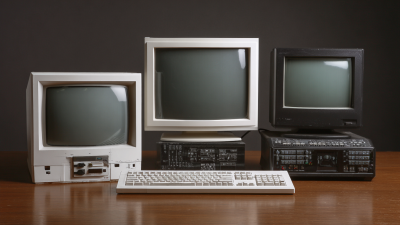
One significant benefit is energy efficiency. LCD monitors consume less power than older display types. This not only saves on electricity bills but also reduces environmental impact. Their durability is another positive aspect. Unlike CRTs, they are less prone to screen burn-in. However, the color accuracy can sometimes be flat. This can affect visual storytelling in film and photography.
Despite these advantages, there are some downsides. The viewing angles can be limiting. Colors might wash out if viewed from the side. Also, while most models handle bright conditions well, glare can still be an issue. It's worth considering how you plan to use the monitor.
Common Applications of LCD Monitors
LCD monitors have become essential in various applications. Their versatility makes them suitable for homes, offices, and schools. In the home, people often use them for entertainment, like watching movies or playing video games. The vibrant colors and sharp images enhance the viewing experience.
In professional settings, LCD monitors play a crucial role. Designers and artists rely on them for accurate color rendering. Many offices utilize these monitors for presentations and video conferences. They offer clear visuals, which help engage participants. However, some users might find prolonged use can lead to eye strain. Adjusting the brightness might help, but it’s not a perfect solution.
Education environments also benefit from LCD monitors. They are often used in classrooms for teaching materials or interactive lessons. Students can engage more easily with visually appealing content. Yet, there can be challenges too, like limited viewing angles. Not every student may see the screen clearly from certain positions. These factors can affect learning outcomes.



















 Screen Size Calculator