Enquire Now
Enquire Now

At Pro Display we’re always happy to help you select the very best display technology for your project.

If you require any further information, pricing or technical assistance, please call us, or send us a message through the form below.

You can also sign-up to our mailing list here too.

    Top 10 LED Screen Rental Companies Worldwide?

    Choosing a led screen rental company can shape an event before the first guest arrives. Brightness, pixel pitch, screen size, and viewing distance all affect what audiences actually see. A crisp image in a conference hall may look washed out under afternoon sunlight. The details matter.

    This guide introduces ten rental providers serving events in different regions and markets. It considers practical factors such as equipment range, technical support, project experience, and service coverage. These companies may support concerts, trade shows, sports events, product launches, and corporate presentations. A supplier’s website can describe its capabilities, but project references and clear equipment specifications offer more useful evidence. Ask how the team handles setup, signal testing, and last-minute adjustments. Small checks prevent big surprises.

    There is no universal ranking for every event. Availability, transport distance, venue conditions, and local support can change which provider is the best fit. Some companies may excel at large outdoor displays, while others suit compact indoor installations. Even a strong supplier can miss a detail; no list replaces a careful project conversation. Use the profiles below as a starting point, then confirm current services, pricing, and technical requirements directly with each company.
    Top 10 LED Screen Rental Companies Worldwide?

    How LED Rental Screens Are Classified by Pixel Pitch, from P1.9 to P4.8

    For global LED screen rental, pixel pitch is a practical classification, not just a technical label. Pitch measures the distance between two LED pixels. A smaller number creates sharper images at close range, but usually increases cost, weight, and processing demands.

    P1.9 and P2.6 are common choices for conferences, product launches, and indoor broadcasts. Viewers may stand only two to three meters away. Fine text and facial details remain clear. P2.9 and P3.9 suit medium-distance stages, exhibitions, and corporate events. P4.8 works better for outdoor concerts and large venues, where the audience is farther away. These ranges are not absolute. Camera distance, brightness, scan rate, and content design can change the result.

    Grand View Research valued the global LED display market at about USD 7.3 billion in 2023 and projects strong growth through 2030. That expansion is pushing rental providers toward lighter cabinets and finer pitches. In practice, I have seen clients choose P1.9 for a premium look, then discover that transport and setup costs rise sharply. The smaller pitch is not always the smarter rental decision. AVIXA industry outlook data also shows continued demand for professional audiovisual systems in live events and corporate environments. A careful rental specification should match pixel pitch with viewing distance, venue lighting, camera use, and budget. Sometimes, the less impressive specification performs better.

    Which Technical Specs Matter: 3,840 Hz Refresh, Brightness, and IP Ratings

    For a rental LED screen, 3,840 Hz refresh is a useful starting point, not a guarantee of clean footage. It describes how often the image is refreshed; camera shutter speed and scan method also affect visible flicker or dark bands. Ask for a test recording at the event’s likely camera settings. Check grayscale performance too. A bright screen can still show uneven shadows.

    Brightness should match the venue, not the biggest number on a spec sheet. Indoor stages often need less output than sunlit outdoor sites, where reflections can wash out content. Request measured brightness at the operating setting, plus uniformity data across the panel. The International Electrotechnical Commission’s IEC 60529 standard defines IP ratings for protection against dust and water ingress. An IP65 rating, for example, indicates dust-tight protection and resistance to water jets under specified test conditions; it does not mean every installation is weatherproof. Ask how connectors, seams, and rear cabinets are protected. Small gaps matter. Rental conditions are messy, and specifications do not always capture that.

    LED Rental Screens: Brightness and Key Technical Specs

    Brightness targets vary by viewing conditions: indoor rental screens commonly use around 800–1,500 nits, shaded outdoor setups around 3,000–4,000 nits, and direct-sunlight applications around 5,000–7,000 nits. A 3,840 Hz refresh rate is a common high-refresh specification for camera-friendly rental displays. IP65 indicates dust-tight protection and resistance to water jets; check the rating for both the screen’s front and rear, since protection can differ.

    How to Compare the Top 10 LED Screen Rental Companies Worldwide

    Comparing the top 10 LED screen rental companies worldwide takes more than checking screen size or daily rates. Start with the display specifications: pixel pitch, brightness, refresh rate, and viewing distance. Ask how those figures perform in the venue, not only in a product sheet. A screen that looks crisp indoors may appear washed out beneath afternoon sun.

    Check what the rental quote actually includes. Transport, rigging, signal processing, backup panels, and on-site technicians can change the total cost. Ask how quickly damaged modules can be replaced and whether spare parts travel with the crew. Small gaps matter. A low quote may leave critical support unclear.

    Compare providers using the same event brief, including venue dimensions, audience distance, schedule, and content format. Request project references for similar settings, then ask what went wrong and how the team responded. That answer can reveal more than a polished case study. Also confirm local crew availability and communication across time zones. No scorecard captures everything; personal judgment still matters, and it is easy to overvalue a slick demonstration.

    What Services, Inventory, and Regional Coverage Distinguish Each Company

    A useful comparison of ten leading LED screen rental companies starts with more than screen size. Look at pixel pitch, brightness, refresh rate, and cabinet weight. These details affect viewing distance, camera performance, transport, and setup time. Some providers offer indoor panels for conferences and retail displays. Others maintain weather-rated outdoor screens, mobile stages, or curved configurations. A large inventory helps, but it does not guarantee that the right panels are available on your dates.

    Tips: Request a current inventory list, not a catalog alone. Ask for sample footage or a live screen test. Confirm who supplies processors, signal cables, rigging support, and backup panels. Small omissions can cause delays.

    Regional coverage matters just as much as equipment. Providers with local warehouses may reduce freight time and simplify last-minute replacements. International operators can coordinate multi-city tours, but confirm which services are handled by local crews. Ask about site surveys, installation, show-day technicians, dismantling, and storage. Compare written service scopes carefully. A low quote may exclude labor or transport. Also check how the company handles uneven surfaces, tight loading access, and changing weather. These practical details are easy to overlook, and even a strong supplier may not fit every venue or schedule.

    How Event Type and Screen Size Shape Rental Choices, from 16:9 Walls to Stages

    Top 10 LED Screen Rental Companies Worldwide?

    When comparing the world’s top ten LED screen rental companies, event type should guide the shortlist, not advertising reach. A corporate keynote often needs a clean 16:9 wall, sharp text, quiet cabinets, and reliable front access. For a product launch, higher brightness can matter more than extreme pixel density, especially near glass entrances. I have seen teams overbuy resolution while ignoring rigging limits and viewing distance. That mistake becomes expensive. Size changes everything.

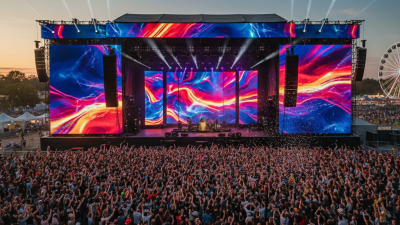
    A 16:9 wall suits presentations because slides remain familiar and camera framing stays predictable. A 6-by-3-meter wall can serve a ballroom, but a wider canvas may work better for concerts or fashion shows. Stage events often need layered screens, side wings, or curved sections that follow performers without blocking sightlines. Outdoor festivals demand weather protection, stronger brightness, spare modules, and a tested power plan. Indoor meetings usually prioritize low noise and fast installation. It looks simple.

    Rental decisions should include pixel pitch, refresh rate, processing, technician coverage, transport, and emergency replacement time. Ask for measured brightness, not only a brochure figure. Request a site visit or scaled layout before signing. The best supplier may not offer the largest inventory; it may offer honest limits and a crew that checks every connection. My planning has improved through mistakes, yet I still leave contingency space for weather, late schedule changes, and imperfect venue drawings. That caution is practical, though not glamorous.

    Top 10 LED Screen Rental Companies Worldwide? — How Event Type and Screen Size Shape Rental Choices, from 16:9 Walls to Stages

    Event Type Common Screen Format Typical Overall Size Typical Pixel Pitch Approx. Minimum Viewing Distance Typical Brightness Rental Planning Consideration
    Corporate presentation 16:9 main screen 4.8 × 2.7 m 1.9–2.6 mm About 2–3 m 800–1,500 nits Prioritize clear text, reliable signal routing, and sightlines from the back of the room.
    Large conference or product launch 16:9 center wall with optional side screens 6.4 × 3.6 m 1.9–2.9 mm About 2–4 m 800–1,500 nits Confirm stage width, camera positions, screen height, and content-safe areas before selecting the wall.
    Concert or touring stage Wide stage backdrop, often wider than 16:9 12 × 6 m 2.9–4.8 mm About 3–6 m 1,000–2,000 nits indoors; higher for daylight use Check rigging capacity, wind exposure for outdoor shows, processor inputs, and camera refresh requirements.
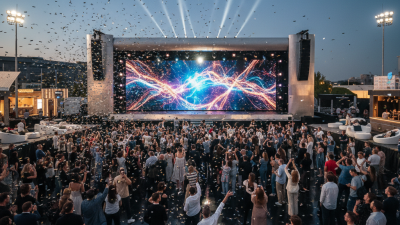
    Outdoor festival Large 16:9 or panoramic stage wall 10 × 5.6 m 3.9–6.9 mm About 4–8 m 4,000–6,000 nits Specify weather-rated equipment and plan for ambient daylight, viewing distance, power, and structural support.
    Trade show booth Compact 16:9 wall or modular display 3.2 × 1.8 m 1.5–2.6 mm About 1.5–3 m 800–1,500 nits Check booth limits, access routes, assembly time, and whether the content will be viewed up close.
    Wedding or private celebration 16:9 screen or paired side panels 3.6 × 2.0 m 2.6–3.9 mm About 2.5–4 m 800–1,200 nits Balance screen size with room décor, guest sightlines, ambient lighting, and playback needs.
    Sports viewing area Large 16:9 screen 8 × 4.5 m 3.9–6.9 mm About 4–8 m 4,000–6,000 nits outdoors; lower indoors Allow for live-video signal paths, outdoor weather protection, crowd sightlines, and adequate brightness.
    Fashion show Long runway backdrop or side display 8 × 3 m 2.6–3.9 mm About 3–5 m 800–1,500 nits Coordinate screen placement with runway sightlines, lighting, camera angles, and the show’s aspect ratio.
    Hybrid event or livestream 16:9 presentation wall with confidence or return screens 5.3 × 3.0 m 1.9–2.9 mm About 2–4 m 800–1,500 nits Test camera moiré, refresh settings, content scaling, and separate display feeds during rehearsal.
    Experiential activation Custom modular, curved, or multi-panel layout Variable; commonly 4–10 m wide 1.5–3.9 mm About 1.5–5 m 800–1,500 nits indoors; higher outdoors Confirm panel geometry, viewing angles, resolution mapping, structure, and content dimensions with the production team.

    Planning guide: Sizes, pixel pitches, viewing distances, and brightness levels are typical rental-planning ranges, not fixed specifications. Actual requirements depend on the venue, ambient light, audience distance, content, camera use, and available equipment.

    Screen Size Calculator