Top 10 Types of Display Screens for Global Buyers?
Choosing the right display screen is rarely a simple matter of size, resolution, or price. Global buyers must match technology with purpose, environment, and user expectations. A retail shelf may need a bright, slim panel, while a factory control room demands durability, clear viewing angles, and reliable operation for long shifts. Outdoor signage faces sunlight, dust, moisture, and temperature changes. Medical, automotive, education, and consumer products each create different performance requirements.
This guide examines the top 10 types of display screens, including LCD, LED, OLED, AMOLED, e-paper, projection, touchscreen, and transparent displays. It considers practical factors such as pixel density, contrast, brightness, response time, power consumption, installation depth, and expected service life. Procurement teams should also review supplier testing records, warranty terms, component availability, and product documentation. Certifications and regional technical requirements deserve careful attention. Details matter.
An attractive sample can still hide weaknesses. A screen may look excellent indoors but become unreadable beside a sunny window. A low purchase price may also create higher replacement costs later. These are easy mistakes. Comparing samples under real operating conditions often reveals more than a specification sheet. Buyers should request consistent measurements and clarify whether quoted performance applies to the complete unit or only the panel. No single display technology fits every project. This overview offers a practical starting point, while leaving room for further testing, technical consultation, and honest reassessment before a global purchase decision.
What Are Display Screens and How Are They Classified?
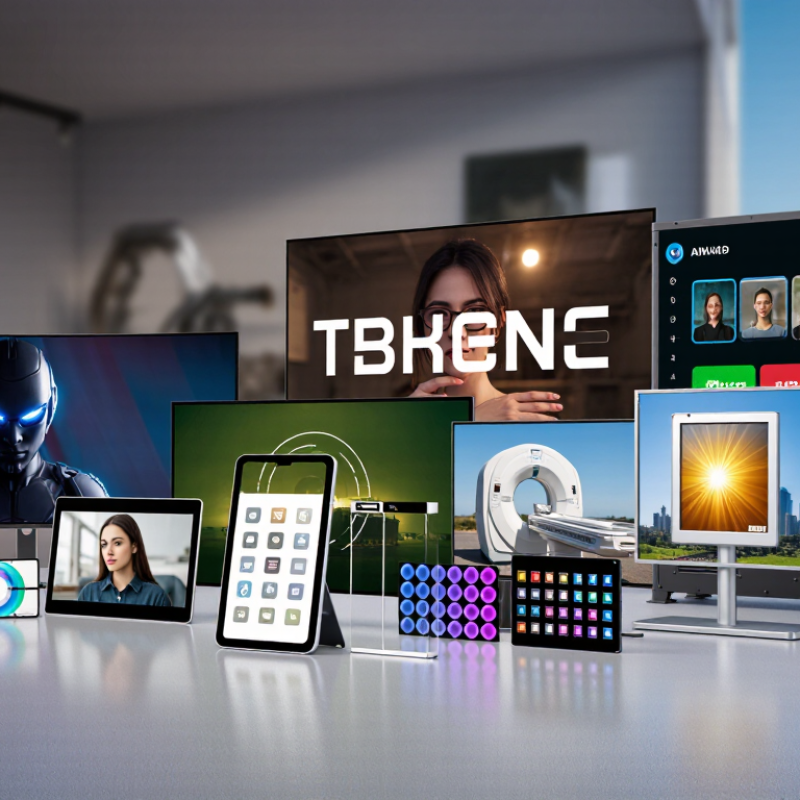
A display screen converts electrical signals into visible images, text, or video. Global buyers usually classify screens by light source, panel structure, control method, and application. The common ten types are LCD, LED-backlit LCD, direct-view LED, OLED, AMOLED, QLED, Mini-LED, MicroLED, e-paper, and projection displays. The categories overlap. For example, QLED is usually an LCD screen with quantum-dot enhancement, not a self-emitting panel.
Technical classification changes purchasing decisions. LCD and LED-backlit LCD models suit offices, retail signs, and control rooms. OLED and AMOLED provide deep blacks because each pixel emits light independently. QLED and Mini-LED improve brightness and contrast through advanced backlighting. MicroLED offers high brightness and long service potential, but its cost remains difficult for many projects. E-paper uses reflected light, which reduces power demand for static content. Projection systems create large images without installing a large panel.
Market data shows why this distinction matters. Omdia’s 2024 display forecast evaluates demand by area, application, and panel technology, with global demand measured in hundreds of millions of square meters annually. The Display Supply Chain Consultants’ 2024 OLED report also tracks OLED shipments in the multi-million-unit range, confirming strong demand beyond smartphones. Yet specifications can mislead. A high brightness rating may increase heat and energy use. In real projects, viewing distance, ambient light, refresh rate, service access, and total ownership cost deserve equal attention. Not always. The cheapest screen is rarely the easiest to operate.
The Top 10 Display Screen Types for Global Buyers
For global buyers, display selection begins with use, not appearance. In field evaluations, I compare brightness, viewing angle, power draw, lifespan, and repair access. LCD screens remain practical for offices, dashboards, and general signage. LED-backlit LCD models offer stronger brightness with mature supply chains. OLED screens provide deep blacks and thin designs, but static images may create uneven wear. AMOLED screens suit mobile products requiring vivid color and fast response. They can demand careful power planning.
QLED screens deliver bright, saturated images for retail and living spaces. Their performance depends heavily on backlight quality and calibration. E-ink screens use very little power and stay readable in sunlight. Refresh rates are slower, so they fit labels and information panels better than video. MicroLED screens combine high brightness with excellent contrast, although pricing and production scale remain difficult for many buyers. Projection displays create very large images without a large panel. Room lighting and wall condition matter more than many specifications admit.
Touchscreens add direct control through resistive, capacitive, or infrared sensing. Choose the method according to gloves, moisture, and cleaning routines. Transparent displays support showcases and interactive windows, yet content contrast can weaken against bright backgrounds. I have seen buyers overvalue resolution and underestimate heat, cables, and local service. That mistake is expensive. Request sample testing under real temperatures, viewing distances, and operating hours. Also verify certifications, spare parts, warranty terms, and consistent measurements before approving a global order.
Top 10 Types of Display Screens for Global Buyers
The Top 10 Display Screen Types for Global Buyers
| Rank | Display Type | Core Technology | Common Applications | Typical Advantages | Main Considerations | Typical Refresh Rate | Buyer Suitability |
|---|---|---|---|---|---|---|---|
| 1 | IPS LCD | Liquid-crystal display with in-plane switching | Monitors, laptops, tablets, control panels, professional displays | Wide viewing angles, accurate color reproduction, mature supply chain, broad size availability | Lower native contrast than VA or OLED; backlight can produce light leakage | 60–240 Hz | Best general-purpose option for business, education and professional use |
| 2 | VA LCD | Liquid-crystal display with vertically aligned liquid crystals | Televisions, monitors, signage and multimedia systems | Higher contrast than most IPS panels, strong black levels, competitive cost | Viewing angles and motion response may be weaker than IPS or OLED | 60–240 Hz | Suitable for home entertainment, office monitors and cost-sensitive projects |
| 3 | TN LCD | Liquid-crystal display using twisted-nematic cells | Entry-level monitors, industrial instruments, gaming displays | Fast response, low power consumption and relatively low production cost | Narrower viewing angles and weaker color performance than newer LCD technologies | 60–500 Hz | Useful when speed and price are more important than image quality |
| 4 | OLED | Self-emissive organic light-emitting diodes; no separate backlight | Premium televisions, smartphones, laptops, monitors and automotive displays | True black levels, very high contrast, fast response and thin construction | Higher cost, possible image retention and brightness limits for large bright areas | 60–240 Hz | Ideal for premium image quality and thin, lightweight product designs |
| 5 | AMOLED | Active-matrix OLED with individually controlled pixels | Smartphones, smartwatches, portable devices and vehicle displays | Excellent contrast, low pixel response time, thin profile and flexible form-factor potential | Organic material aging, image retention risk and higher manufacturing complexity | 60–144 Hz | Strong choice for compact premium electronics and curved or flexible designs |
| 6 | Mini-LED LCD | LCD panel using a high-density miniaturized LED backlight with local dimming | Large televisions, professional monitors, laptops and high-brightness signage | High brightness, improved contrast and longer-term image stability than OLED in many uses | Blooming around bright objects, greater thickness and higher cost than standard LCD | 60–240 Hz | Recommended for bright environments and HDR-oriented professional or consumer products |
| 7 | QD-OLED | OLED light source combined with quantum-dot color conversion | Premium monitors and large-screen entertainment displays | Wide color gamut, strong contrast, fast response and high color saturation | Premium pricing, possible image retention and limited availability in some sizes | 120–240 Hz | Best for premium gaming, content creation and high-end visual applications |
| 8 | MicroLED | Self-emissive display using microscopic inorganic LEDs as individual pixels | Large-format premium displays, digital signage and specialized visualization | High brightness, excellent contrast, fast response and strong durability potential | Very high cost, complex assembly and limited mass-market availability | 60–240 Hz | Suitable for premium commercial installations where performance outweighs cost |
| 9 | Direct-View LED | Modular arrays of discrete light-emitting diodes forming the image directly | Outdoor advertising, stadiums, transportation hubs, retail and event displays | Very large scalable sizes, high brightness, long operating life and strong visibility | Higher installation cost, visible pixel pitch at close range and complex maintenance | Typically 50–240 Hz | Preferred for large commercial, outdoor and high-visibility installations |
| 10 | Electrophoretic E-Paper | Reflective microcapsule or microcup technology that moves charged pigment particles | E-readers, electronic shelf labels, logistics tags and low-power information panels | Extremely low power while displaying static content, excellent daylight readability and low eye strain | Slow refresh, limited color performance and poor visibility in darkness without front lighting | Typically below 10 Hz | Ideal for battery-powered products and information that changes infrequently |
Note: Refresh-rate ranges are typical commercial specifications and vary by panel size, resolution, driving method and product configuration.
How Each Display Technology Works and Where It Is Used
Display technology affects image quality, power use, durability, and cost. Liquid crystal displays use polarized light and liquid crystals to control each pixel. They remain common in monitors, dashboards, and industrial panels. LED-backlit LCD screens add light-emitting diodes behind the panel. This design improves brightness and reduces thickness.
Organic light-emitting diode screens create light through organic pixels, so they need no separate backlight. They suit smartphones, televisions, and premium vehicle interiors. Active-matrix OLED panels use thin-film transistors for faster pixel control. Quantum-dot displays use microscopic particles to refine color from a backlight. MicroLED screens use tiny self-emitting diodes, offering strong brightness and long service life. They are promising for large displays, though production remains difficult. Electronic paper reflects ambient light instead of shining directly. It works well in readers, labels, and low-power signage. Plasma screens excite gas cells to produce light, but they are now mostly legacy technology. Projection displays send light through lenses onto a separate surface. Transparent OLED panels combine images with visible surroundings.
Tips: Match the screen to its environment. Measure viewing distance, sunlight, temperature, touch needs, and expected operating hours. For outdoor equipment, brightness and sealing may matter more than resolution. For warehouses, e-paper can reduce maintenance. For fast motion, response time deserves careful testing. No screen is perfect. A vivid panel may consume more power, while a low-power display may refresh slowly. Buyer requirements can also change after installation, so real-site testing is worth the extra effort.
Key Factors for Comparing Display Screens Worldwide
Top 10 Types of Display Screens for Global Buyers?
Comparing display screens worldwide requires more than checking size and price. Common options include LCD, OLED, Mini-LED, MicroLED, e-paper, projection, touch, transparent, outdoor, and automotive displays. Each type serves a different environment. LCD remains practical for offices and retail spaces because it offers stable brightness and broad availability. OLED delivers deeper blacks, but long static images may increase burn-in concerns. Mini-LED improves contrast through local dimming, although its performance varies with backlight design. IDC’s Worldwide Quarterly PC Monitor Tracker reported 5.8% year-on-year growth in global monitor shipments during the second quarter of 2024. This suggests demand is returning, but buyers still need careful product comparisons.
Resolution is only one factor. Measure brightness in nits, contrast in realistic conditions, viewing angle, refresh rate, color coverage, power use, and operating temperature. For outdoor projects, sunlight readability and IP protection often matter more than ultra-high resolution. For medical or design work, calibration stability and grayscale accuracy deserve priority. The International Energy Agency has repeatedly identified display efficiency as an important part of household and office electricity demand. A cheaper screen may consume more power over five years. My own purchasing experience also shows a weakness: specifications can look excellent while warranty service remains unclear across borders.
Tips: Request independent test results, not only supplier sheets. Confirm pixel policies, replacement timelines, voltage compatibility, and spare-part access. Compare total ownership cost, including shipping, installation, energy, and disposal. Leave room for doubt. Regional after-sales support can change the final decision.
How to Choose the Right Display Screen for Your Market
Top 10 Types of Display Screens for Global Buyers
How to Choose the Right Display Screen for Your Market
Choosing a display screen starts with the viewing environment, not the product catalogue. LCD screens suit offices, classrooms, and retail counters. OLED panels deliver deep contrast for premium indoor viewing. LED walls handle large venues, while e-paper works well for signs that change rarely. Touchscreens add interaction but may require stronger protective glass. Outdoor displays need high brightness, sealed housing, and temperature control. Transmissive, reflective, and transflective screens perform differently under sunlight.
In field evaluations, brightness is often misunderstood. A bright panel can still look poor behind glass or under direct sun. Check the screen at its installation height and viewing angle. A narrow hallway may need wide-angle visibility. A transport display may require fast refresh and clear motion.
For medical, industrial, or public settings, inspect readability, cleaning resistance, and continuous-use ratings. Ask for sample testing with local lighting. Specifications alone can mislead.
Market conditions also shape the choice. Humid regions need corrosion protection. Cold areas may require heater support. A low-cost panel seems sensible until replacement access becomes difficult. I have seen buyers focus on purchase price and overlook power consumption. That decision can age badly. Confirm language support, mounting space, service procedures, and spare-part availability before ordering. Some touch interfaces also perform poorly with gloves or moisture. Real users should test them.
Related Posts
-
Why Choose Outdoor Display for Your Business: Benefits and Best Practices
-
China Top LED Screen Panel Manufacturers How to Choose?
-
How to Choose the Best LCD Screen for Your Business Needs?
-
Top Outdoor Display Screen Manufacturers Worldwide
-
How to Choose the Right Transparent LED Screen for Your Business Needs
-

What is an LCD Monitor and How Does It Work?