Enquire Now
Enquire Now

At Pro Display we’re always happy to help you select the very best display technology for your project.

If you require any further information, pricing or technical assistance, please call us, or send us a message through the form below.

You can also sign-up to our mailing list here too.

    What Is an Indoor LED Display Screen?

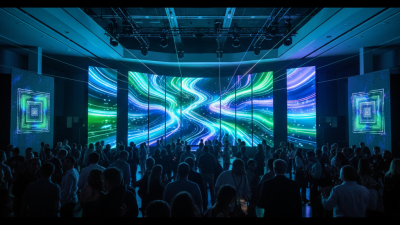
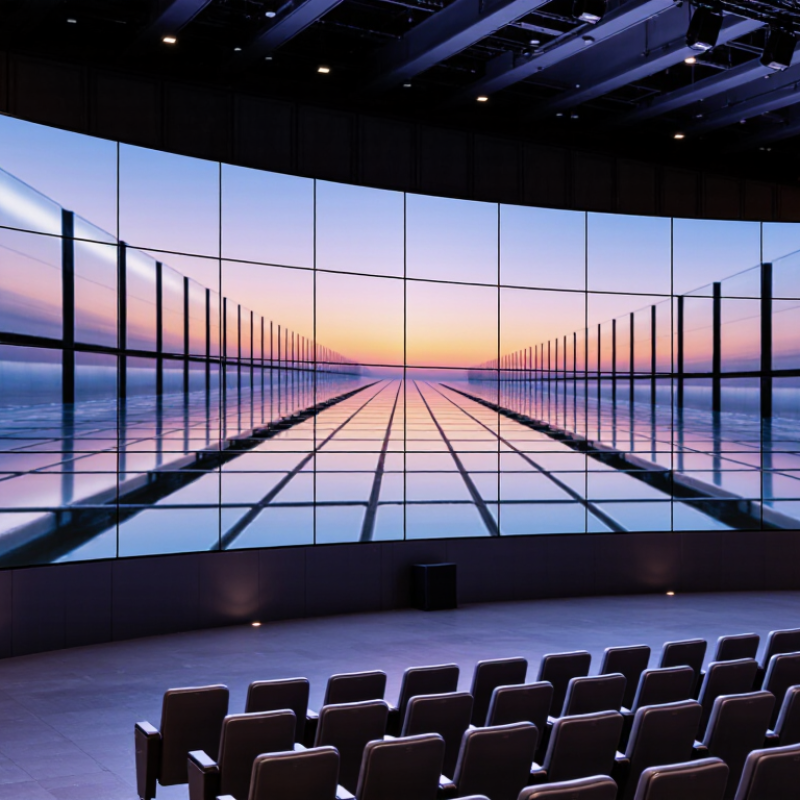
    An indoor LED display screen is a modular video surface built from light-emitting diodes, often assembled from cabinets that fit together across a wall or stage. Unlike a television, it can scale to room-sized dimensions and display changing content without a fixed screen shape. The details matter: pixel pitch, viewing distance, brightness, and room lighting all affect what viewers actually see.

    The market is expanding, though that figure covers more than indoor products. Grand View Research valued the global LED display market at USD 7.10 billion in 2023 and projected an 8.4% compound annual growth rate from 2024 to 2030. This points to growing investment in LED displays, but it does not mean every venue needs one. A screen that looks crisp from a lobby entrance may show visible gaps when viewed up close. Placement changes everything.

    This guide explains how indoor LED displays work, where they are used, and which specifications deserve attention. It also compares them with LCD video walls and projection systems. Small choices can become expensive. For example, choosing a very fine pixel pitch may add cost without improving the experience for viewers seated far away. Brightness can be overdone, too. A screen should suit the room, not simply dominate it. These are practical distinctions, but they are easy to miss when comparing product sheets alone.
    What Is an Indoor LED Display Screen?

    Definition and Key Characteristics of an Indoor LED Display Screen

    What Is an Indoor LED Display Screen?

    Definition and Key Characteristics of an Indoor LED Display Screen

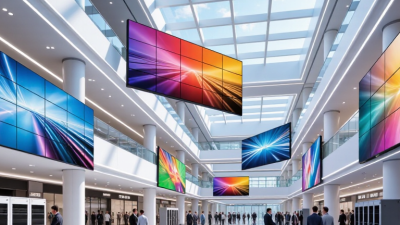
    An indoor LED display screen is a large image surface built from small light-emitting diodes. Unlike a projector, it produces its own light, so it can show vivid images without a darkened room. Individual modules join to form a screen sized for a lobby, shop, control room, or event space. That distinction matters.

    Pixel pitch describes the distance between neighboring pixels. A smaller pitch generally supports clearer images at close viewing distances, but it can increase cost. For a screen viewed from across a hall, a wider pitch may be suitable. The right choice depends on where people stand and what they need to read. Small details count. Text, charts, and fine patterns can reveal limitations that video may hide.

    Indoor displays usually need less brightness than outdoor screens, since sunlight is not directly hitting them. Brightness should still suit the room; an overly bright screen can feel uncomfortable. Color consistency, refresh behavior, and viewing angles also affect what viewers see. Specifications help, but they do not replace checking the screen in its actual setting. A display can look impressive on paper and still feel harsh in a softly lit room. Regular inspection and careful calibration help maintain an even image, though results can vary with use and installation.

    What Is an Indoor LED Display Screen? - Definition and Key Characteristics of an Indoor LED Display Screen

    Dimension Definition or Typical Characteristics
    Definition An indoor LED display screen is a self-emissive display made from light-emitting diodes arranged as pixels. It forms images, video, and text by controlling the light output of its red, green, and blue LEDs.
    Primary use Designed for indoor environments such as meeting rooms, retail spaces, reception areas, auditoriums, control rooms, and event venues.
    Pixel pitch The distance, in millimetres, between the centres of adjacent pixels. Indoor products commonly use fine pitches, often roughly 0.9–4 mm; the suitable pitch depends on screen size, resolution, and viewing distance.
    Viewing distance Pixel pitch is one factor in determining a comfortable viewing distance. A smaller pitch can support closer viewing, but the appropriate distance also depends on content, display resolution, and viewer expectations.
    Brightness Indoor displays typically operate at lower brightness than outdoor displays because they are used in controlled lighting. Brightness is measured in candelas per square metre (cd/m²), also called nits, and should be adjustable for the room.
    Image and colour Full-colour LED screens combine red, green, and blue light to reproduce a broad range of colours. Perceived image detail depends on pixel pitch, display resolution, source material, and viewing distance.
    Refresh rate The number of times the display updates its image per second, measured in hertz (Hz). A higher refresh rate can help reduce visible flicker and improve camera capture, depending on the display system and camera settings.
    Viewing angle The range of horizontal and vertical positions from which the image remains usable. Actual viewing angles vary with LED package, display design, brightness, and installation conditions.
    Construction Usually assembled from modular panels or cabinets containing LED modules, driving electronics, and a structural frame. Modular construction allows different screen dimensions and aspect ratios.
    Content control A controller or compatible playback system sends image and video signals to the display. Supported inputs, resolutions, and control methods depend on the selected system.
    Installation environment Indoor models are generally intended for protected, non-weather-exposed spaces. Ambient light, ventilation, mounting structure, power supply, and access for maintenance should be considered during installation.
    LED display vs. LCD video wall An LED display produces light at its pixels, while an LCD video wall uses liquid-crystal panels with a backlight. LED displays can be built in varied sizes and shapes; LCD walls typically use fixed-size panels and may have visible bezels.

    Figures and specifications vary by product and installation. Check the technical data sheet and assess the intended viewing distance, ambient light, content, and operating conditions before selecting a display.

    Main Components of an Indoor LED Display System

    What Is an Indoor LED Display Screen?
    Main Components of an Indoor LED Display System

    An indoor LED display uses tiny light-emitting diodes arranged in modules to create images and video. Its picture quality depends on more than pixel pitch. LED modules form the visible surface, while cabinets hold them in alignment and protect internal parts. A receiving card processes image data for each module. A sending card and control processor pass content from a computer or media player to the screen.

    Power supplies convert incoming electricity for the modules and control electronics. Fans or other cooling designs help manage heat, especially inside tightly packed cabinets. Small parts matter. AVIXA’s 2024 Industry Outlook and Trends Analysis forecast global professional audiovisual revenue at roughly $325 billion in 2024, rising to $402 billion by 2029. This covers the wider AV sector, not LED displays alone, but it shows the scale of the systems market.

    When assessing a display, check that the processor, receiving cards, modules, and software work together. Look closely at brightness uniformity, service access, and ventilation. A high refresh rate on a specification sheet cannot compensate for poor calibration. The U.S. Department of Energy’s 2022 Solid-State Lighting R&D Opportunities report highlights reliability and thermal management as ongoing engineering concerns for LED systems. Those concerns apply to display design too, though actual performance depends on installation and use. Even a tidy cabinet can hide awkward maintenance.

    What Is an Indoor LED Display Screen?

    Main Components of an Indoor LED Display System

    An indoor LED display is made from LED modules assembled into cabinets and connected to power and control equipment. Pixel pitch—the distance between adjacent pixels—helps determine how close viewers can sit.

    Typical pixel pitch and approximate minimum viewing distance: The distances shown use a common planning rule of thumb of about 1 meter of viewing distance per 1 millimeter of pixel pitch. Actual suitability depends on the content, installation, and viewing conditions.

    Key System Components

    • LED modules: Panels containing the LEDs that form the image.
    • Cabinets and frame: Support and align modules to create the display surface.
    • Receiving cards: Distribute image data to the display modules.
    • Video processor and sending equipment: Scale and transmit video to the display.
    • Power supplies and cables: Deliver electrical power and connect system components.
    • Thermal management: Helps dissipate heat generated during operation.

    How Indoor LED Screens Create and Display Images

    What Is an Indoor LED Display Screen?
    How Indoor LED Screens Create and Display Images

    An indoor LED display builds images from tiny red, green, and blue light-emitting diodes. A controller converts video into digital instructions, then sends them to driver circuits across the screen. Each pixel blends its three colors at different brightness levels. Together, they form text, faces, and moving scenes.

    Look closely at a wall panel and you may see small gaps between pixel clusters. Pixel pitch—the distance between pixel centers—helps determine how sharp the image appears from nearby seats. Tighter spacing usually suits closer viewing, though room size, content, and brightness matter too. Not magic. The screen updates rows of pixels rapidly, making motion appear continuous. Poorly matched settings can still cause flicker or uneven color.

    For dependable comparisons, the Society for Information Display’s International Display Measurement Standard describes repeatable display tests, including luminance and color measurements. ITU-R Recommendation BT.709-6 defines HDTV reference color characteristics and formats, including 1920 × 1080 video. These are useful benchmarks, not promises that every LED wall reproduces identical images. Viewing angle, calibration, and ambient light change what people actually see. A white shirt can look slightly blue under a cool setting. That detail is easy to miss. Calibration also drifts, so checking it periodically is sensible, if not always convenient.

    Common Types and Configurations of Indoor LED Screens

    Indoor LED screens commonly use modular direct-view panels, where each cabinet contains an array of self-emitting pixels. Fine-pitch versions suit meeting rooms, control spaces, and retail interiors, where viewers may stand close to the image. Larger-pitch panels often work better in halls or atriums viewed from farther away. Pixel pitch matters, but it is not the whole decision. Room depth, text size, ambient light, and camera use also affect the result.

    Cabinets can form flat video walls, corner displays, or curved surfaces using compatible modules. All-in-one systems combine the display, processing, and mounting hardware, which can simplify smaller installations. Rental-style panels are designed for repeated assembly, while fixed-installation cabinets prioritize stable alignment and service access.

    AVIXA’s 2023 Industry Outlook and Trends Analysis projected global professional audiovisual industry revenue could reach $325 billion by 2028, reflecting continued investment across AV applications; it does not measure LED configurations alone.

    A useful starting point is to map the closest viewing position and the content’s smallest readable detail. Then test a sample panel under actual room lighting. The result may challenge the floor plan.

    One detail is easy to miss. A screen that looks crisp in a showroom can feel too bright or too dense in a quiet office.

    Typical Applications and Important Selection Factors

    An indoor LED display is a modular surface that produces images with light-emitting diodes. Indoors, it can support presentations, live video, and changing information. Typical settings include conference rooms, retail spaces, school halls, reception areas, and control rooms. Each has different viewing distances and lighting conditions. Small rooms differ.

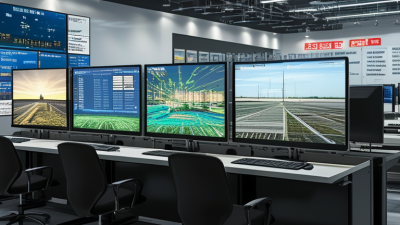
    In a conference room, the screen may need to show fine text clearly from the back row. Retail displays often compete with bright shop lighting and nearby visual distractions. A control room may run for long hours, so heat management and access for maintenance matter. These uses call for different designs, not just different screen sizes.

    Pixel pitch—the distance between pixels—helps determine how sharp an image appears at a given viewing distance. A finer pitch can suit close viewing, but it usually raises cost. Check brightness against ambient light: excessive brightness can feel harsh in a dim meeting room. For spaces where cameras record the screen, ask about refresh rate and test for flicker. Also assess resolution, color consistency, power use, mounting structure, and access to service panels. Specifications can look convincing on paper. A full-scale viewing test is still useful, especially when people will read small text or view the display from sharp angles.

    Screen Size Calculator