How to Choose the Best Touch Screen Monitor for Your Needs?
In today's digital age, selecting the right touch screen monitor is crucial. With so many options available, making the right choice can be overwhelming. Each monitor comes with unique features that can impact your productivity and user experience.
Consider your primary needs. Are you using the monitor for work, gaming, or creative projects? For instance, a high-resolution touch screen monitor is essential for graphic design tasks. Additionally, the size of the monitor plays a vital role, especially in limited spaces.
Touch screen monitors can enhance interaction and efficiency. However, quality varies widely among brands. Avoid getting swayed by flashy marketing. Research is key. Reading user reviews can provide insights into performance and reliability. Remember, not every model suits everyone. Reflect on your specific requirements before making a decision.
Understanding Touch Screen Technology: Capacitive vs. Resistive Displays
Touch screen technology comes down to two main types: capacitive and resistive displays. Capacitive displays are the most common in smartphones and tablets. They use conductive touch inputs, which means they can sense the electrical conductivity of your finger. This allows for multi-touch capabilities, enabling gestures like pinching or swiping. The response of a capacitive screen is often faster and more sensitive.
On the other hand, resistive displays rely on pressure. They consist of multiple layers that register touch when you press down on the surface. This technology is often found in industrial applications. Resistive displays can work with any object, including a stylus or glove, making them versatile in harsh environments. However, their touch sensitivity may not match that of capacitive screens.
When deciding which technology to choose, consider your specific use cases. Capacitive screens may not perform well with gloves. This is a common concern for outdoor or industrial workers. Resistive displays might feel less intuitive but can be more practical in certain settings. Reflecting on your environment will lead to a better choice.
How to Choose the Best Touch Screen Monitor for Your Needs? - Understanding Touch Screen Technology: Capacitive vs. Resistive Displays
| Aspect |
Capacitive Displays |
Resistive Displays |
| Touch Sensitivity |
High, responds to light touch |
Moderate, requires firm pressure |
| Durability |
Scratch-resistant surface |
Less durable, prone to scratches |
| Price Range |
Usually higher |
Typically lower |
| Multi-Touch Capability |
Supported |
Limited support |
| Environmental Resistance |
Better in harsh environments |
Sensitive to dust and liquids |
Key Specifications to Consider: Resolution, Response Time, and Refresh Rate
When selecting a touch screen monitor, key specifications play a crucial role. Resolution is one of the top factors to consider. A higher resolution means sharper images and better detail. Many touch screen monitors come in Full HD (1920x1080) or even 4K (3840x2160). According to a report from DisplayMate, 4K monitors can show four times the detail of Full HD. This is essential for graphic design or video editing.
Response time also deserves attention. It indicates how quickly a pixel can change from black to white. A low response time reduces motion blur during fast-paced action. Industry standards suggest a response time under 5ms for smooth visuals. However, monitors with response times above 10ms may not be suitable for gaming or interactive applications. This aspect is often overlooked, yet it can impact your experience.
Lastly, refresh rate is critical for overall performance. Measured in Hertz (Hz), it shows how often the screen refreshes the image per second. A monitor with a refresh rate of 60Hz is standard, while gaming monitors often boast rates of 120Hz or higher. A 2019 study from the American Journal of Applied Psychology points out that high refresh rates can enhance user satisfaction. Despite their benefits, not all users prioritize these metrics, leading to potential regret after purchase. Reflecting on these specifications can guide you to a more satisfying choice.
Assessing Compatibility: Operating Systems and Device Integration
When selecting a touch screen monitor, compatibility with your operating system is critical. Many users overlook this aspect. Different systems have distinct drivers and features. A monitor that works flawlessly on one operating system may not function optimally on another. Consider what operating systems you frequently use. Windows, macOS, and Linux each have specific compatibility nuances. Check the specifications closely to avoid frustration later.
Device integration should also be assessed. A touch screen monitor should seamlessly connect with your existing devices. Think about tablets, smartphones, or PCs you commonly use. Not all monitors offer extensive connectivity options. Ensure that your preferred monitor has the right USB ports or wireless capabilities. Look for reviews that discuss real-world experiences. Users often share about compatibility issues that may not be in the product descriptions.
Compatibility goes beyond specifications. While it can be tempting to rush the decision, take your time. Engage with user forums or expert reviews. Understand the potential challenges you might face. Sometimes, a monitor may require additional software or updates for full functionality. Reflecting on these aspects will help you make a more informed choice. Your needs will dictate the best fit, and thorough research can save you from unexpected problems later on.
Optimal Screen Size and Aspect Ratio for Different Use Cases
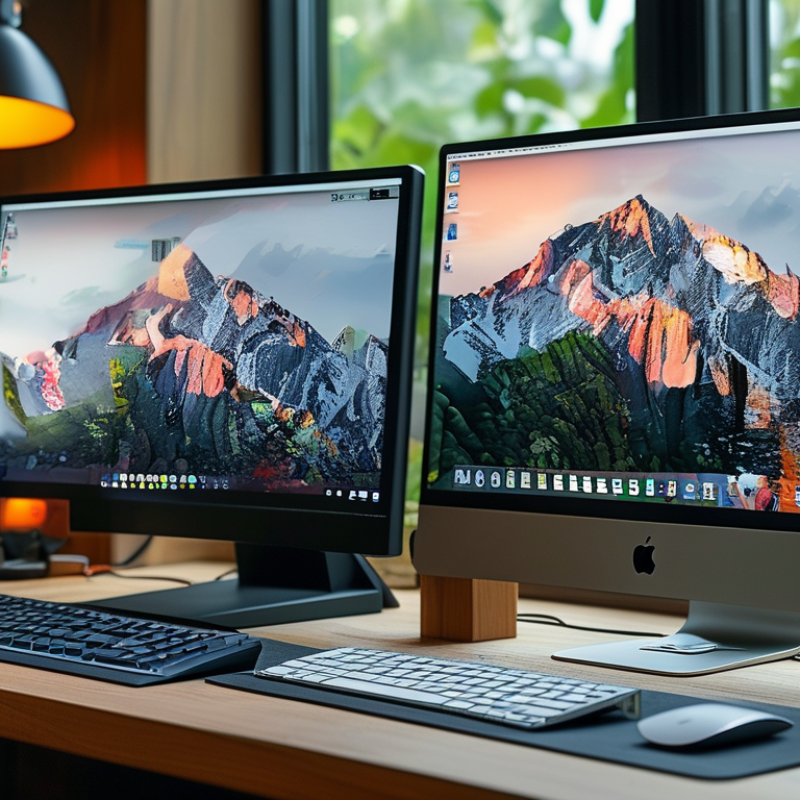
Choosing the right touch screen monitor starts with understanding screen size and aspect ratio. Different use cases require different dimensions. A typical office task might benefit from a larger screen, approximately 24 to 32 inches. This size enhances productivity, allowing for multitasking without strain. On the other hand, a smaller size, around 15 to 22 inches, suits personal use or kiosks where space is limited.
Aspect ratio also plays a significant role. Most monitors offer a 16:9 ratio, ideal for watching videos and general computing. However, a 16:10 ratio provides extra vertical space, making it great for design work. Consider what you'll primarily use the monitor for. Will you be editing photos? A wider screen might help your workflow.
Experimenting with various sizes and ratios can be insightful. Do not hesitate to adjust your setup. If something feels off, reflect on your usage habits. Measure your desk space and visualize your work process. You may discover a preference for one aspect ratio over another. Monitor placement also matters; angle and reach can affect comfort.
Optimal Screen Size and Aspect Ratio for Different Use Cases
Evaluating Brands and Warranty Options for Long-Term Reliability
When selecting a touch screen monitor, assessing the brand and warranty options is crucial for ensuring long-term reliability. Established brands often provide better quality. They invest in research and development to improve their products. A reputable brand reflects a commitment to performance and customer support, which are essential for a satisfying user experience.
Warranty options are a significant factor to consider. A longer warranty usually indicates the manufacturer's confidence in their product. It offers peace of mind if something goes wrong. Pay attention to the warranty coverage as well. Some warranties cover parts, while others may include labor costs or accidental damage. Understanding this can save you from unexpected expenses later.
Consider your usage patterns. If you'll be using the monitor heavily, look for brands that offer robust support. Explore user reviews as these can reveal common issues. Don't hesitate to ask questions before making a purchase. Even in a world of tech advancements, some products might not meet all promised expectations. Every monitor might have its flaws, so gathering as much information as possible can lead to better decisions.



















 Screen Size Calculator