How to Choose the Best Touch Display for Your Business Needs?
Choosing the right touch display for your business isn't just a preference; it's a necessity. According to industry expert Dr. Laura Chen, "The right touch display can transform user engagement and streamline operations." In today’s digital landscape, businesses face the challenge of selecting a display that meets their unique needs. It's not merely about the size or resolution; functionality, durability, and user experience are crucial factors.
Touch displays vary widely in features and technologies. Many businesses overlook the importance of responsiveness and clarity. A superior touch display should offer intuitive interaction. If a display lags or is unresponsive, it can frustrate users and diminish productivity. Not every option on the market provides the same quality, which makes thorough research vital.
Investing in a reliable touch display can enhance customer interactions. However, it's important to reflect on how it aligns with your specific business goals. Will it serve your needs today and in the future? As you explore options, consider both immediate and long-term performance. The right choice can empower your business, but the wrong one might hinder growth.
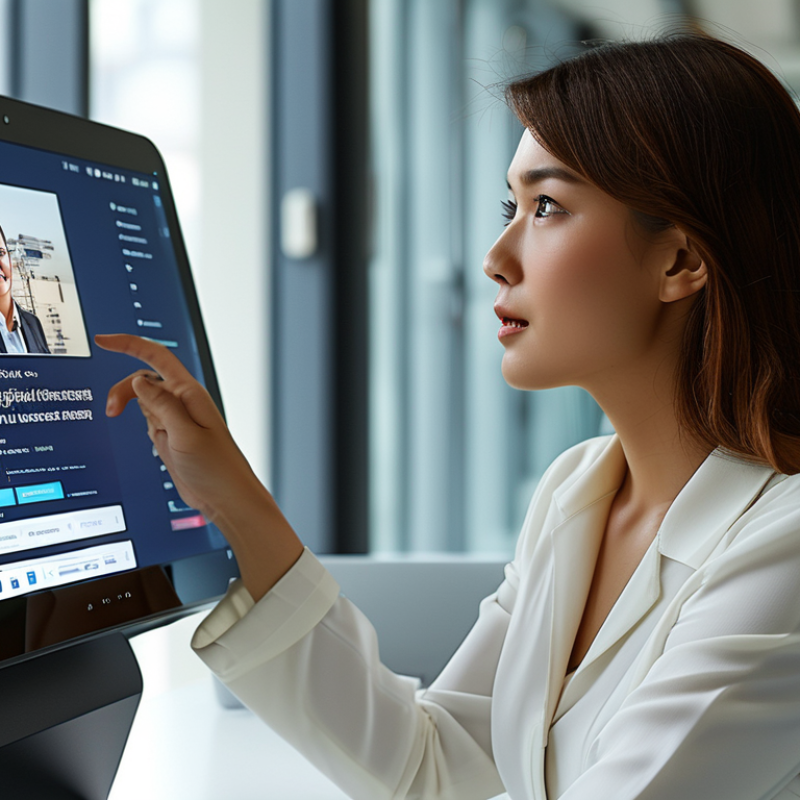
Understanding the Different Types of Touch Displays Available
When selecting a touch display for your business, understanding the different types available is crucial. There are capacitive, resistive, and infrared models, each with unique advantages. Capacitive displays, known for their high sensitivity, are ideal for environments requiring multi-touch interactions. They respond well to lighter touches, enhancing user experience.
Resistive displays, on the other hand, are more durable and effective for harsh conditions. These are often used in industrial settings where gloves may be necessary. Infrared displays provide a unique touch experience without a physical layer, making them great for large interfaces. Consider your operational environment and user interactions before making a decision.
Tips for choosing include assessing user needs and application requirements. Test displays in real-world scenarios for better insight. Also, think about maintenance and durability—these factors can impact long-term effectiveness. Lastly, reflect on scalability. Is the touch display adaptable as your needs evolve? The right choice can enhance productivity significantly.
How to Choose the Best Touch Display for Your Business Needs?
| Display Type |
Screen Size |
Resolution |
Touch Technology |
Ideal Use Case |
| Capacitive |
10 - 65 inches |
Full HD (1920x1080) |
Multi-Touch |
Retail, Interactive Kiosks |
| Resistive |
5 - 32 inches |
HD (1280x720) |
Single-Touch |
Industrial, Medical Equipment |
| Infrared |
22 - 85 inches |
4K UHD (3840x2160) |
Multi-Touch |
Interactive Displays, Digital Signage |
| Optical |
32 - 100 inches |
Full HD (1920x1080) to 4K UHD |
Multi-Touch |
Education, Presentation, Collaboration |
Key Features to Consider When Selecting a Touch Display
When selecting a touch display for your business, consider several key features. The display size should match your needs. A larger screen can enhance visibility in a retail environment. However, a compact display might be perfect for small spaces. Check the resolution as well. High-resolution displays provide clearer images, which is vital for presentations and customer interactions.
Touch responsiveness is another crucial aspect. The ideal display should support multi-touch capabilities for a fluid user experience. Research the technology behind it; some displays use capacitive touch, while others use resistive technology. The durability of the screen matters too. Look for displays with scratch-proof and anti-glare coatings. This ensures longevity, especially in high-traffic areas.
Consider the connectivity options available. USB and HDMI ports enhance compatibility with various devices. Additionally, assess the operating system. Some displays run on dedicated software while others support various platforms. This can affect how seamless the integration is with your existing systems. Remember, not every feature will be necessary for every business. Carefully weigh your requirements against the offered features.
Assessing the Size and Resolution for Your Business Applications
Choosing the right touch display involves careful consideration of size and resolution. For many businesses, the dimensions of a touch display can significantly impact user experience. Research shows that 32% of consumers value screen size as a crucial factor in their purchasing decisions. Larger screens can enhance visibility and engagement, particularly in retail environments or during presentations.
Resolution is another critical aspect. A display with higher resolution improves clarity, making it easier to read text and detail. According to a recent industry report, 72% of professionals recommend touch displays with at least 1080p resolution for interactive tasks. This level of detail is particularly important in settings like design studios or healthcare facilities, where precision matters.
However, businesses must reflect on their actual needs. Not every application requires the highest spec. In some contexts, a mid-range resolution is adequate, especially if users engage with the display briefly. It's worth noting that overspending on high-end specifications might not yield the expected return on investment. Balancing size and resolution with practical usage will lead to a more effective selection for your business.
Evaluating Compatibility with Existing Systems and Software
When selecting a touch display for your business, compatibility is crucial. It’s essential to assess how the new display integrates with your current systems. A seamless connection can enhance overall productivity. Understand the specifications of your existing hardware and software. This includes operating systems and communication protocols. You want to ensure that they can work together without issues.
Testing is vital before committing. Set up trials to see how the touch display interacts with your software applications. This process may reveal unexpected glitches or challenges. Document any compatibility issues you encounter. Engaging your IT team in this phase can provide valuable insights. They can help evaluate whether the display meets the necessary technical requirements.
Consider any future upgrades that might affect compatibility. A touch display that fits your current needs may become obsolete later. Prioritize flexibility and scalability in your choice. Ensure the system can adapt as your business grows. Remember, the right display should not only work today but should also support your long-term goals.
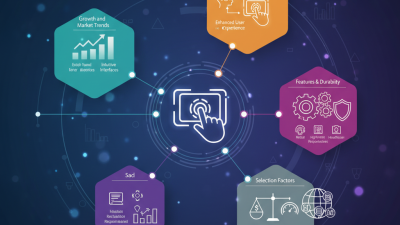
Comparison of Touch Display Features for Business Needs
Budgeting for Purchase and Maintenance of Touch Displays
When budgeting for touch displays, it’s crucial to consider both initial costs and ongoing maintenance. The upfront price can vary widely based on features, size, and technology. Look for displays that meet your specific needs without overspending. Many businesses fall into the trap of overestimating their requirements. A high-end model may seem appealing, but it might not provide the necessary return on investment.
Maintenance expenses are often overlooked. Regular updates and technical support can add up. Consider how often you will need service and repairs. Creating a budget that includes these factors can help prevent future financial strains. Some companies recommend setting aside a percentage of your purchase price for maintenance. It's also wise to factor in potential training costs for staff.
Evaluating both initial and recurring expenses is essential. Many businesses fail to do this and encounter surprises later on. Be realistic about your budget. Cutting corners can lead to issues down the line. A touch display should serve your business effectively, so investing wisely is critical. Be mindful of your specific situation and adjust your expectations accordingly.

















 Screen Size Calculator