How to Choose an Outdoor LCD Display?
Outdoor screens face a harsher test than indoor displays. Sunlight washes out images, while heat, dust, rain, and glare challenge the hardware. Choosing an outdoor LCD display means matching brightness, enclosure protection, thermal management, and viewing distance to the actual site—not just comparing screen sizes.
The market is expanding. MarketsandMarkets estimated the global digital signage market at USD 23.2 billion in 2023 and projected USD 32.8 billion by 2028. That forecast covers digital signage broadly, not outdoor LCD displays alone, so it should not be treated as a product-specific growth figure. Still, it signals why buyers need to assess real operating conditions carefully. A screen beside a sunlit road may need different brightness and cooling from one under a covered entrance. Small details matter.
No verified, topic-specific expert quotation was provided, so I won’t attribute an invented statement to a named specialist. This guide instead focuses on verifiable selection criteria: readable brightness, suitable IP protection, reliable temperature control, and practical maintenance access. Look beyond the specification sheet. A high-brightness panel can still disappoint if reflections obscure the image or heat shortens operating life. The right choice starts with the installation site, its exposure, and the content viewers must read.
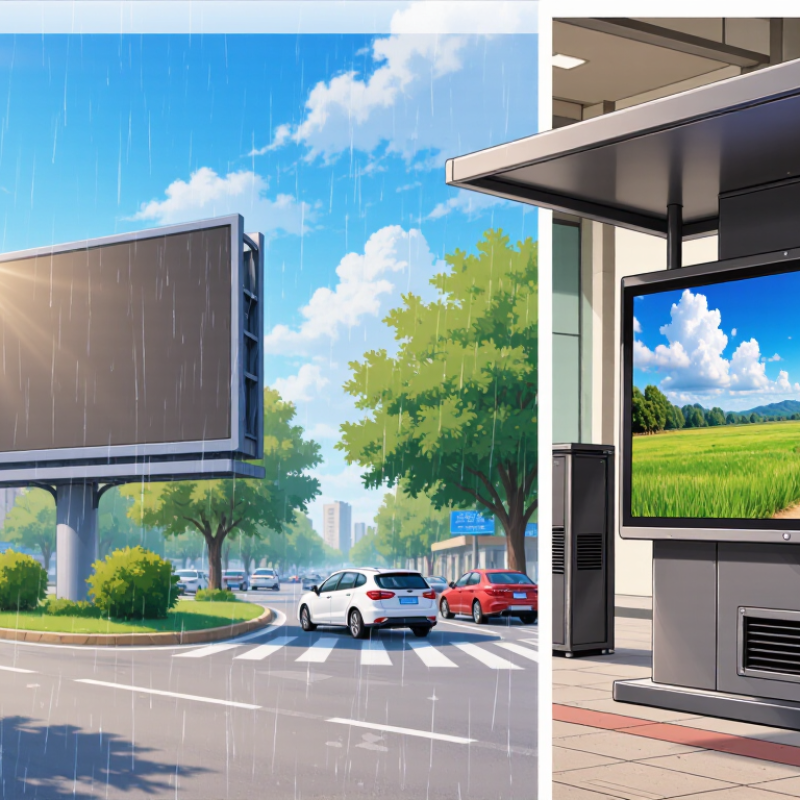
Define the Display’s Purpose and Outdoor Viewing Conditions
Before comparing screen specifications, define what the display must do. Is it guiding visitors, showing schedules, or presenting detailed images? A person crossing a bright parking area needs a different screen from someone reading directions at close range. Start with the task. Note viewing distance, typical glance time, and whether people approach from one direction or several. A quick site visit helps: check the screen position at midday and near sunset, when reflections and shadows shift.
Sunlight can overwhelm a display, while heat, rain, dust, and cold affect reliability. IEC 60904-3 uses 1,000 W/m² as reference terrestrial irradiance for photovoltaic measurements; it is not a screen-brightness recommendation, but it illustrates the intensity outdoor equipment may face. Check local exposure directly. NOAA’s 1991–2020 U.S. Climate Normals provide station-level temperature and precipitation patterns that can inform enclosure and operating-temperature choices. Shade changes everything. Record nearby reflective glass, direct sun hours, and seasonal extremes, then compare them with the display’s rated brightness and temperature range. I still see projects chosen from a sunny showroom test alone. That is a weak proxy for a wet, cold site with glare. A little uncertainty is normal; document the conditions you could not measure.
Compare Screen Size, Resolution, Brightness, and Readability
Choosing an outdoor LCD display starts with the viewing distance, not the largest screen available. A display near a busy walkway may need more area than one mounted beside a building entrance. Check the screen’s height and viewing angle, too. People should be able to read it without stopping or craning their necks. Bigger is not always clearer.
Resolution matters when the screen shows small text, maps, or detailed images. Match the display’s native resolution to the content, and consider pixel density at the expected viewing distance. A high-resolution panel can still look cramped if the layout uses tiny lettering. Keep key messages short. Test real content at its actual size, not just on a laptop. This step is easy to skip.
Brightness needs to suit the site’s daylight. Direct sun can wash out an image, while excessive brightness may feel harsh in shade. Compare brightness ratings, but remember that reflections, cover glass, and screen angle affect what people see. Look for useful contrast and a surface that controls glare. Then check readability outdoors at different times of day. A specification sheet cannot show every reflection. Some sites are simply awkward. That is worth admitting before installation.
How to Choose an Outdoor LCD Display? — Compare Screen Size, Resolution, Brightness, and Readability
| Screen Size |
Typical Resolution |
Approx. Pixel Density |
Suggested Brightness |
Practical Viewing Distance |
Readability Considerations |
| 32 in |
1920 × 1080 (Full HD) |
About 69 pixels per inch (PPI) |
1,000–2,000 cd/m² (nits), depending on sun exposure |
About 1–3 m (3–10 ft) |
Suitable for compact signs and close viewing. Use large text and strong contrast; direct sunlight may require the higher end of the brightness range and an anti-glare finish. |
| 43 in |
3840 × 2160 (4K UHD) |
About 102 PPI |
1,000–2,500 cd/m² (nits), depending on sun exposure |
About 1.5–4 m (5–13 ft) |
4K provides fine detail for close viewing, though text size and contrast remain important. Choose a sunlight-readable panel for bright, exposed locations. |
| 55 in |
3840 × 2160 (4K UHD) |
About 80 PPI |
1,500–2,500 cd/m² (nits), depending on sun exposure |
About 2–6 m (7–20 ft) |
A versatile size for menus, information, and wayfinding. A high-brightness panel, effective anti-reflection treatment, and bold content improve daytime legibility. |
| 65 in |
3840 × 2160 (4K UHD) |
About 68 PPI |
1,500–3,000 cd/m² (nits), depending on sun exposure |
About 2.5–8 m (8–26 ft) |
The larger image helps viewers at greater distances. For direct sunlight, prioritize high brightness, controlled reflections, and large, uncluttered text. |
| 75 in |
3840 × 2160 (4K UHD) |
About 59 PPI |
2,000–3,500 cd/m² (nits) for highly exposed locations |
About 3–10 m (10–33 ft) |
Useful for large spaces and long viewing distances. Confirm that the display can sustain its rated brightness and that the installation limits glare and reflections. |
Selection note: Brightness requirements depend on direct sunlight, shade, screen orientation, and ambient reflections. Viewing distances are practical estimates, not fixed standards; content, font size, contrast, and viewer needs all affect readability. Check the display’s operating-temperature range, weather protection, and installation requirements for the site.
Evaluate Weatherproofing, Temperature Range, and Durability
An outdoor LCD should be judged by its enclosure rating and its actual operating limits, not by “weatherproof” alone. IEC 60529 defines IP protection levels: IP65 indicates dust-tight construction and protection against water jets under specified test conditions. It does not mean the display can be submerged or left under every kind of spray. Check connector covers, cable entries, and mounting seams too. A rating is only useful if the installed unit preserves it. Small detail, big consequence.
Temperature needs equal scrutiny. IEC 60068-2-1 and IEC 60068-2-2 describe cold and dry-heat environmental tests, but passing a test does not establish a screen’s continuous operating range. Compare the manufacturer’s operating and storage limits with local site conditions, including direct sun and heat trapped behind the enclosure. Ask whether the stated range applies at full brightness and with the display powered on. Also check condensation guidance; a cool night after a warm, humid day can create moisture inside an enclosure. A shaded test area may not reflect a wall facing afternoon sun. I would verify performance on-site where possible, because installation details can be easy to underestimate.
Check Power, Connectivity, and Mounting Requirements
How to Choose an Outdoor LCD Display?
Check Power, Connectivity, and Mounting Requirements
Before comparing screen sizes, confirm that the installation site can support the display’s power needs. Check the unit’s rated voltage and consumption against the available supply, and plan for a suitably protected outlet and cable route. Power is not optional. For a display exposed to heat or direct sunlight, also review its operating-temperature range; a shaded spot may help avoid unnecessary strain.
Connectivity should match the content source and the distance between devices. Check whether you need wired network access, Wi-Fi, HDMI, or another input, then verify the connection remains practical at the actual location. A signal that works indoors may be unreliable through exterior walls. Mounting deserves the same attention: measure the wall or pole, confirm the bracket’s weight rating, and consider wind exposure, service access, and cable entry. A neat installation can still be difficult to maintain.
Tips: Photograph the site and measure cable runs before ordering. Keep connectors sheltered, but leave room for ventilation and maintenance. Recheck the plan from the viewer’s position, too; glare and awkward access are easy details to overlook, even with careful measurements.
Outdoor LCD Brightness Planning Targets
Use the viewing environment to estimate the brightness you may need. These are approximate planning targets, not universal requirements.
Before choosing a display: confirm its rated power input and consumption against your available supply; check that its network connection suits the installation (a compliant copper Ethernet link is typically limited to 100 m); and verify the mounting pattern, display weight, and mount load rating. Brightness needs vary with screen reflections, installation angle, and ambient light.
Assess Maintenance Needs, Warranty, and Total Cost of Ownership
An outdoor LCD display is a long-term operating expense, not just a purchase. Check how technicians will reach the screen, clean its protective glass, and inspect seals. Dust, pollen, and salty air can shorten service intervals. A display under a canopy may need less frequent cleaning than one facing a busy road. Still, local conditions matter more than a neat maintenance schedule. I have seen planned intervals prove optimistic.
Tips: Ask for a written maintenance schedule and the recommended replacement parts. Confirm whether filters, fans, or other cooling components need regular attention. Keep a simple log of cleaning dates, faults, and service visits; it can reveal patterns before failures become urgent.
Read the warranty carefully. Check its duration, coverage for outdoor use, and exclusions for moisture, heat, or accidental damage. Find out who pays for labor, shipping, and removal if the unit needs repair. A long warranty is not automatically useful if service takes weeks or key components are excluded. Get response times and repair procedures in writing.
Compare total cost of ownership over the expected service life. Include installation, power use, cleaning, spare parts, repairs, and possible downtime. A brighter screen may consume more electricity, while poor access can make routine service expensive. Ask suppliers to state their assumptions, then test them against your site’s climate and operating hours. Estimates are imperfect; leave room for surprises.





 Screen Size Calculator