10 Tips for Buying an LED Display Screen
Buying an LED display screen is not just a matter of choosing the brightest model or the lowest price. The right choice depends on where people will see it, what it must show, and how often it will run. A screen beside a sunny shop window faces different demands from one in a dim conference room. Pixel pitch, viewing distance, brightness, refresh rate, and installation conditions all shape the result. Small details count.
LED researcher Roland Haitz is associated with a useful observation: “Each decade, cost per lumen falls tenfold, while light output per LED package rises twentyfold.” That long-term trend explains why specifications and product generations matter, but it does not make every newer screen a better fit. Buyers still need to check real-world brightness, color consistency, service access, warranty terms, and the supplier’s track record. Ask for a demonstration using content similar to your own. Look closely at text edges, skin tones, and motion—not just vivid promotional footage. A datasheet can be accurate and still leave out what matters in your room.
The ten tips below offer a practical way to compare options without getting lost in technical jargon. Start with the viewing environment, then weigh performance, durability, support, and total cost. Some compromises are unavoidable. A lower upfront price may mean fewer service options, while a higher brightness rating may be unnecessary indoors. I would not treat any single specification as decisive; the best choice is the one that performs reliably in its actual setting.
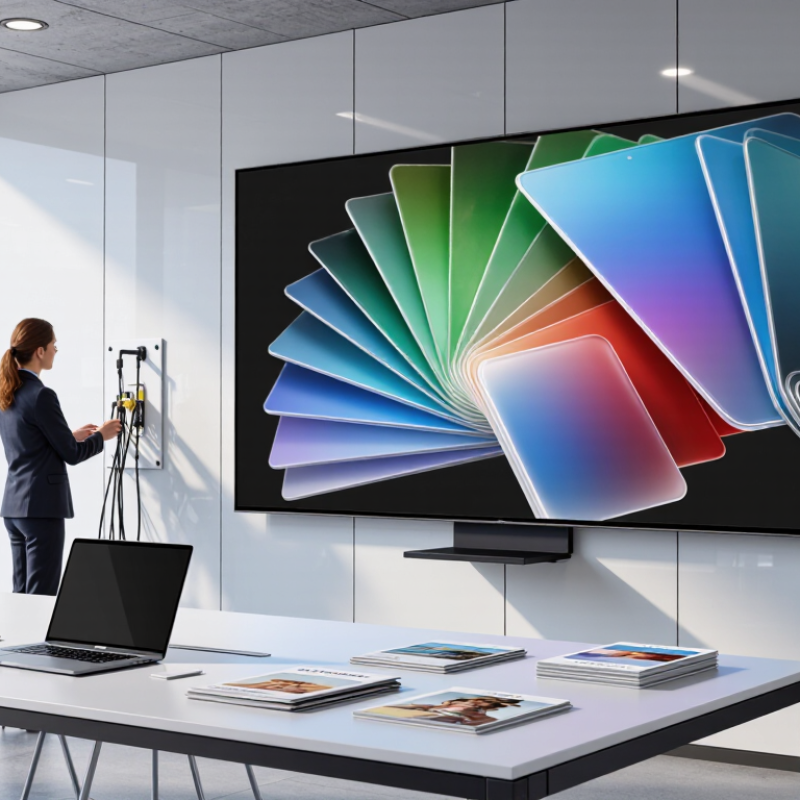
Define the Display’s Purpose, Location, and Viewing Conditions
Before choosing an LED display, define what viewers need to see or do. A roadside screen must communicate quickly, while a lobby display may carry detailed schedules. List the content, typical viewing distance, and expected viewing time. A useful detail: note whether people will pass by at walking speed or stop several feet away. That changes how much text and detail they can comfortably read.
Tip: Visit the installation site at different times. Check daylight glare, shade, reflections from windows, and evening lighting. Measure the actual distance from the screen to viewers, not just the room dimensions. Check it at dusk. A display that looks clear indoors may appear dim beside a sunlit entrance, while excessive brightness can feel harsh after dark.
Consider mounting height, sightlines, and the surrounding environment. A screen above a doorway may be blocked by an awning or viewed at an awkward angle. Outdoor locations also need protection suited to local rain, dust, and temperature changes. Ask the installer to assess these conditions before settling on screen size and brightness. One planning detail is easy to miss: future furniture, signs, or landscaping may obstruct the view. Recheck the site plan against how the space is actually used.
Choose the Right Screen Type, Size, and Pixel Pitch
Choose the screen for its environment before settling on size. Indoor LED displays often suit close viewing in control rooms, lobbies, or retail spaces, where fine text and detail matter. Outdoor screens need enough brightness to remain clear in daylight, plus suitable protection from weather. Measure the wall and note the nearest viewing position. A large screen can still feel cramped if viewers sit close.
Pixel pitch is the distance between neighboring pixels, measured in millimeters. A rough starting point is one meter of viewing distance per millimeter of pitch: a 2.5 mm pitch may work from about 2.5 meters away. Treat this as a guide, not a guarantee. Content, eyesight, and ambient light change what looks comfortable. I’ve seen this rule mislead buyers.
AVIXA’s 2024 Industry Outlook estimated global professional audiovisual revenue at about $325 billion for that year. The report covers the wider AV sector, not LED screens alone, but it shows how varied installation needs can be. Compare sample content at the actual viewing distance before ordering. Check the screen’s aspect ratio against your content, too; stretching a presentation to fill a wall can make text look awkward. Screen size is not just width and height. It is a viewing decision.
Compare Resolution, Brightness, Refresh Rate, and Color Performance
Resolution matters most at the distance people will actually view the screen. Check pixel pitch as well as the advertised resolution; a dense image can look sharp up close but offer little value across a large room. Bring sample content with small text, fine lines, and moving footage. Test it live. Viewing distance and content type should guide your choice, not a single number on a specification sheet.
Brightness should suit the room’s lighting. A sunlit storefront may need more output than a shaded conference room, but excessive brightness can cause glare and increase power use. Ask about sustained brightness, not only peak output. Refresh rate also matters: fast motion and camera recordings may reveal flicker or uneven movement that is hard to spot in a static demo. Color performance involves more than vivid reds. Compare skin tones, neutral grays, and color consistency across the screen, ideally with the display calibrated. Specs can look reassuring. They do not always reflect real viewing conditions, and there is no universal setting that suits every installation. Check the screen with your own content and ambient light before deciding.
10 Tips for Buying an LED Display Screen — Compare Resolution, Brightness, Refresh Rate, and Color Performance
| Tip | Specification to Compare | Practical Guidance | What to Check Before Buying |
|---|---|---|---|
| 01 | Pixel pitch and viewing distance | Smaller pixel pitch generally gives a sharper image at close range. As a rough starting point, a 1 mm pitch is often viewed from about 1 m or farther; the best choice depends on content and viewing conditions. | View sample content from the closest expected audience position, and compare the full display resolution at the planned screen size. |
| 02 | Native resolution | Calculate the pixel dimensions from the display’s physical size and pixel pitch. Make sure the screen can show the required content without unwanted cropping or scaling. | Ask for the exact pixel width and height, and test the content source at its intended output resolution. |
| 03 | Brightness | Indoor installations commonly use approximately 500–1,500 nits, while outdoor displays may require several thousand nits, often around 4,000–10,000 nits depending on direct sunlight and site conditions. | Compare measured brightness at a usable setting, not only the maximum rating. Check that brightness can be adjusted for changing ambient light. |
| 04 | Refresh rate and camera performance | A refresh rate of 1,920 Hz or higher is common in many applications; 3,840 Hz or higher may help reduce visible scan lines or flicker on camera. Results also depend on shutter speed, scan mode, and camera settings. | Record the display with the cameras and frame rates used at the venue. Request the refresh-rate specification and scan configuration. |
| 05 | Color depth and grayscale | Higher bit depth can provide smoother tonal transitions, especially in dark areas. Published bit-depth figures should be checked alongside the control system and operating mode. | Inspect dark gradients, skin tones, and shadow detail at both low and normal brightness; look for banding or crushed blacks. |
| 06 | Color gamut and consistency | A wide color gamut is useful only when the display can reproduce the required colors accurately and consistently. Calibration and content color management affect the final result. | Request color-performance measurements and inspect a calibrated sample. Check for color differences between modules and across viewing angles. |
| 07 | Contrast and black level | Perceived contrast depends on ambient light, screen surface, brightness settings, and the display design. A single contrast-ratio figure may not predict performance in the installation environment. | View dark scenes in lighting similar to the actual venue and check whether blacks appear washed out or details disappear. |
| 08 | Viewing angle and uniformity | Wide horizontal and vertical viewing angles matter when viewers are spread across a room. Brightness and color can change as the viewing position shifts. | Inspect the screen from the sides, above, and below, and check for visible brightness or color variation across the display. |
| 09 | Environmental protection | Outdoor displays need suitable protection against dust and water. An IP rating describes tested ingress protection; the appropriate rating depends on exposure, enclosure design, and installation. | Confirm the rating for the complete installed assembly, including seams and connections, and check operating-temperature limits and ventilation needs. |
| 10 | Power, maintenance, and total cost | Power consumption varies with screen size, content, brightness, and operating conditions. Service access, spare modules, installation, and control equipment also affect long-term cost. | Request typical and maximum power figures, maintenance procedures, spare-parts availability, warranty terms, and a complete installation quote. |
Check Installation Needs, Control Systems, and Connectivity
Before buying an LED display, measure the wall, viewing distance, and route from the delivery entrance to the installation area. A cabinet may fit the design drawing but fail to pass through a narrow doorway. Check mounting strength, power supply locations, ventilation, and access for future repairs. Leave room behind the screen. Small gaps matter.
Ask how the control system handles your content formats, scheduling, and screen resolution. Confirm that staff can update messages without specialized software skills. If the display uses several cabinets, verify that the system can map them correctly and detect a failed module. Request a live demonstration using your own video files. Specifications alone can be misleading.
Map every connection before installation: data cables, power, network access, and any signal converters. For long cable runs, ask whether fiber or another suitable option is needed; for wireless control, check signal strength at the actual mounting point. Plan a backup connection if downtime would disrupt daily operations. A detail that is easy to overlook is service access: replacing a cable should not require dismantling nearby equipment. Some plans still need revision after a site visit, and that is better than discovering the problem on installation day.
Evaluate Durability, Warranty, Support, and Total Cost of Ownership
An LED display can look impressive in a showroom and struggle after months of heat, dust, or daily operation. Check the rated operating temperature, cabinet sealing, and expected service life. For outdoor installations, inspect the enclosure and cable entries closely; a small gap can become an expensive problem. Ask how often filters, fans, or power supplies may need replacement. Durability is more than a strong frame.
Read the warranty before comparing prices. Confirm which parts are covered, for how long, and whether labor and shipping are included. Ask what happens if a panel fails during a busy event or sales period. Small details matter. A useful support team should provide clear troubleshooting steps, realistic response times, and access to replacement modules. Test that support before purchase with a practical technical question. The answer can reveal more than a polished sales sheet.
Estimate total cost of ownership over several years, not just the initial invoice. Include installation, power use, inspections, spare parts, repairs, and eventual removal. Request power-consumption figures at typical brightness, not only maximum output. Then compare those figures with your expected operating hours. I have seen buyers focus so closely on screen price that they overlook maintenance access; awkward placement can turn a simple repair into a costly lift. Ask for a written service plan, and check whether its assumptions match your site. Ask again if they do not.
Related Posts
-
Why Choose LED Display for Your Global Business?
-
How to Choose the Right LED Display for Your Business?
-
Top 10 Benefits of Using LED Displays for Your Business Growth
-

Top Benefits of Using LED Screens for Events and Businesses
-
China Top LED Screen Panel Manufacturers How to Choose?
-
What Is an LED Display and How Does It Work?