China Top 10 Touch Screen Monitor Manufacturers
China is an important source of touch screen monitor products for retail, industry, education, healthcare, and public information systems. Its manufacturers offer a wide range of configurations, from compact counter displays to large interactive panels. Yet the right choice depends on more than screen size or price. Brightness, touch response, glass durability, connection options, and long-term product support can all shape performance in daily use.
This guide introduces ten China-based manufacturers and the types of solutions they provide. It offers a starting point for comparing product focus, customization, and suitability for different applications. Details matter. A monitor used beside a sunny shop window may need a brighter panel than one installed in a dim control room. A factory unit may require a sturdy enclosure and reliable touch operation with gloves. These examples are not universal specifications; buyers should confirm requirements directly with each supplier.
The list is intended as a practical overview, not a fixed ranking or an endorsement. Manufacturer capabilities and product lines can change, and published specifications may not reveal how a device performs after months of use. That deserves attention. Before choosing a touch screen monitor, request current technical documents, check sample units where possible, and clarify warranty, lead times, and support arrangements. A careful comparison can help teams narrow their options without treating every product as interchangeable.
Touchscreen Monitor Basics: PCAP, Infrared, and Resistive Technologies
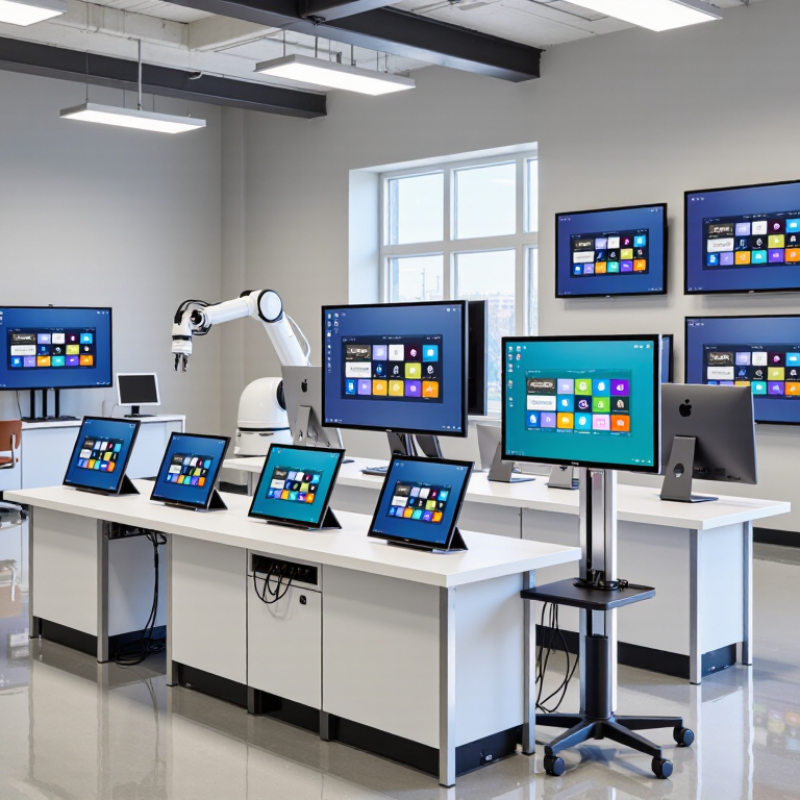
Touchscreen monitors differ less by appearance than by how they detect a finger. Projected capacitive, or PCAP, senses changes in an electrical field beneath the glass. It supports multi-touch gestures and gives a smooth, bright surface. Yet moisture, thick gloves, and electrical noise can affect performance unless the system is configured for them.
Infrared monitors use light beams around the screen’s edge. A finger interrupts the beams, so the display can work with gloves or a stylus and does not need a pressure-sensitive overlay. Dust on the bezel can interfere, however, and the frame may be wider. Resistive screens register pressure between layered surfaces. They suit gloved operation and simple inputs, but overlays can reduce clarity and may wear with repeated pressure. No winner fits all.
Market context matters, but it cannot choose a panel for a specific workplace. MarketsandMarkets’ 2023 Touch Screen Display Market report estimated growth from USD 72.4 billion in 2023 to USD 98.8 billion by 2028, a projected 6.4% annual rate. That figure covers the broader market, not a guarantee that one touch method will suit every monitor. In practical testing, try bare fingers, gloves, and a damp screen under the actual lighting. Even a clean lab test can flatter a panel. Dust matters.
Key Display Metrics: 10-Point Touch, 250–500 cd/m² Brightness, and Resolution
When comparing China’s top 10 touch screen monitor manufacturers, look beyond the phrase “10-point touch.” It means the display can register ten simultaneous contacts under suitable conditions, but real performance also depends on the controller, operating system, and software. Test taps near all four corners, then drag a finger across the glass. Small details matter. A delayed response or missed edge gesture can disrupt a busy checkout or control desk.
Brightness between 250 and 500 cd/m² suits many indoor settings, though room lighting changes what feels readable. A monitor near 250 cd/m² may be comfortable in a softly lit office; stronger overhead lights can call for more output. Higher brightness is not automatically better, since glare and long viewing sessions still matter. Check the screen at its intended angle and under the actual lights.
Resolution should match screen size, viewing distance, and interface. A higher pixel count can sharpen small labels, but poorly scaled software may make controls hard to tap. Ask suppliers for the native resolution and test the display with your own interface. Compare touch accuracy, brightness uniformity, and text clarity on a physical sample where possible. A specification sheet is useful, but it cannot show every uneven patch or awkward gesture.
How China’s Top 10 Manufacturers Compare: OEM Capacity, Certifications, and Support
Comparing China’s top ten touch screen monitor manufacturers is most useful when the focus stays on verifiable capabilities, not polished catalog claims. OEM capacity includes more than monthly output. Check whether a supplier can manage custom bezels, glass treatments, touch controllers, and firmware changes without disrupting production. Ask for a sample that matches the intended screen size and operating environment. A bright showroom display may behave differently under overhead lights or continuous use.
Certifications should match the product and its destination market. Request current documents, confirm the listed model numbers, and check whether testing covers the complete monitor or only selected components. Support matters just as much after delivery. Clarify response times, spare-part availability, repair procedures, and who handles technical questions. A detailed answer is reassuring. Vague promises are not. Factory visits and production records can help, though they may not reveal every weakness. No comparison is perfect.
Tips: Send every supplier the same specification sheet. Include brightness, touch points, ports, mounting dimensions, and expected operating hours. Compare written quotations line by line, then test samples with the software and lighting used in real installations. Keep one unresolved question on your checklist; suppliers’ responses can reveal how carefully they communicate.
| Comparison Profile | OEM / ODM Capacity | Touch Technology & Display Range | Production Capacity | Certifications | Technical Support & Warranty | Due-Diligence Evidence to Request |
|---|---|---|---|---|---|---|
| Anonymous Profile 1 | Not independently verified | Not independently verified | Not publicly verified | Not independently verified; request certificates applicable to the exact product and destination market | Not independently verified | Current product datasheet, customization scope, production-site details, certificate numbers, and written warranty terms |
| Anonymous Profile 2 | Not independently verified | Not independently verified | Not publicly verified | Not independently verified; verify certificate holder, scope, validity, and model coverage | Not independently verified | OEM references, sample evaluation, quality-control process, service response times, and warranty exclusions |
| Anonymous Profile 3 | Not independently verified | Not independently verified | Not publicly verified | Not independently verified; requirements depend on product configuration and sales market | Not independently verified | Model-specific compliance documents, approved component list, repair process, and spare-parts policy |
| Anonymous Profile 4 | Not independently verified | Not independently verified | Not publicly verified | Not independently verified; request evidence for the quoted monitor configuration | Not independently verified | Factory audit or production evidence, inspection criteria, lead-time assumptions, and escalation contacts |
| Anonymous Profile 5 | Not independently verified | Not independently verified | Not publicly verified | Not independently verified; do not assume a certificate covers every model or configuration | Not independently verified | Touch-panel and display specifications, environmental test reports, warranty duration, and return procedure |
| Anonymous Profile 6 | Not independently verified | Not independently verified | Not publicly verified | Not independently verified; check current status with the issuing body where possible | Not independently verified | Sample-to-production change controls, traceability records, software/driver support policy, and service coverage |
| Anonymous Profile 7 | Not independently verified | Not independently verified | Not publicly verified | Not independently verified; confirm whether market-specific approvals are required | Not independently verified | Written OEM agreement, tooling ownership terms, engineering-change process, and after-sales service terms |
| Anonymous Profile 8 | Not independently verified | Not independently verified | Not publicly verified | Not independently verified; request applicable declarations and test reports | Not independently verified | Capacity evidence for the requested order volume, quality records, packaging validation, and replacement-part availability |
| Anonymous Profile 9 | Not independently verified | Not independently verified | Not publicly verified | Not independently verified; validate the exact product scope and destination-market requirements | Not independently verified | Reliability-test results, defect-handling procedure, support hours, and documented service-level commitments |
| Anonymous Profile 10 | Not independently verified | Not independently verified | Not publicly verified | Not independently verified; certificates should be checked against the offered model | Not independently verified | Company and factory verification, product compliance file, production schedule, warranty, and post-warranty support terms |
Data note: These anonymous profiles are placeholders, not a verified ranking or claims about specific manufacturers. No source material was provided to substantiate company-level OEM capacity, certifications, or support. Confirm all figures and documents directly with each supplier before making a purchasing decision.
Industrial Benchmarks: IP65 Front Protection and Up to 50,000-Hour LED Life
China Top 10 Touch Screen Monitor Manufacturers
Industrial Benchmarks: IP65 Front Protection and Up to 50,000-Hour LED Life
For industrial touch monitors, an IP65-rated front helps resist dust and water jets when the panel is correctly installed. This matters near splashing coolant, dusty production lines, or frequent surface cleaning. But the rating usually applies to the front face, not every connector or the rear enclosure. Details matter. A poor gasket fit or exposed cable entry can weaken the protection you expected.
An LED life rating of up to 50,000 hours is a useful comparison point, not a guarantee of service-free operation. It generally describes an estimated period before brightness declines under stated conditions. High temperatures, continuous operation, and blocked ventilation may affect performance. Not the whole unit. Touch accuracy, controller stability, and replacement access deserve attention too. A long-lived backlight cannot compensate for a display that is difficult to maintain.
Tips: Check whether the IP65 claim covers the assembled front panel, and confirm the required mounting gasket is included. Ask how LED life is measured and what brightness level remains at the stated endpoint. Review the monitor’s actual operating temperature and cleaning conditions. One detail is easy to miss: installation quality can matter as much as the specification sheet.
Choosing a Manufacturer by Screen Size, Interfaces, Application, and Warranty
Choosing among China’s top ten touch screen monitor manufacturers starts with the screen’s actual job, not its diagonal measurement. A 15-inch panel may fit a compact counter, while a 24-inch display gives operators more room for detailed controls. Check active-area dimensions, brightness, viewing angle, and mounting options against the installation site. Grand View Research valued the global touch screen market at USD 70.43 billion in 2022. Its 2023 report projected an 8.9% compound annual growth rate through 2030. That signals broad demand, not a guarantee that any particular monitor will suit your workflow.
Match interfaces to the equipment already on site. HDMI or DisplayPort may handle video, while USB carries touch input; older systems may need serial connections. For kitchens, factories, or public kiosks, ask about glove operation, cleaning tolerance, and continuous-use testing. Details matter. Request a sample unit and test it with your own software, cables, and lighting. I would also compare warranty duration, exclusions, repair turnaround, and spare-part availability in writing. A long warranty sounds reassuring, but coverage can be narrow. One small oversight: confirm whether dead pixels, touch drift, and shipping damage receive separate terms.
Related Posts
-
China Top 10 Interactive Screen Manufacturers?
-

How Touch Screen Monitors are Revolutionizing User Interaction in Modern Technology
-
How to Choose the Best Touch Screen Monitor for Your Needs?
-

How to Choose the Best LCD Screen for Your Business Needs?
-
Top 10 Types of Display Screens for Global Buyers?
-

Top 10 Benefits of LED Displays for Global Buyers?